Ready Solutions · Manufacturing

ERP36T Manufacturing

Plan, produce and cost every work order. ERP36T Manufacturing manages bills of materials, production planning, work orders, job cards, quality checks and costing, connected to inventory, purchasing and accounting.

Included from the Professional plan. See pricing

Overview

What Manufacturing does

Manufacturing is a core business function that helps organizations transform raw materials into finished goods through planned, controlled, and efficient production processes. ERP36T Manufacturing module is designed to manage the complete production lifecycle, including material planning, bill of materials, work orders, job tracking, quality checks, costing, and delivery coordination in one connected system. By automating manufacturing workflows such as production planning, shop floor activities, subcontracting, material consumption, and finished goods tracking, businesses can reduce delays, improve resource utilization, and maintain better control over costs and output quality. This helps organizations improve production efficiency, reduce wastage, and ensure timely fulfillment of customer demand.

Manufacturing runs on the same ERP36T platform and database as every other module, so its records are shared, not copied, across the business.
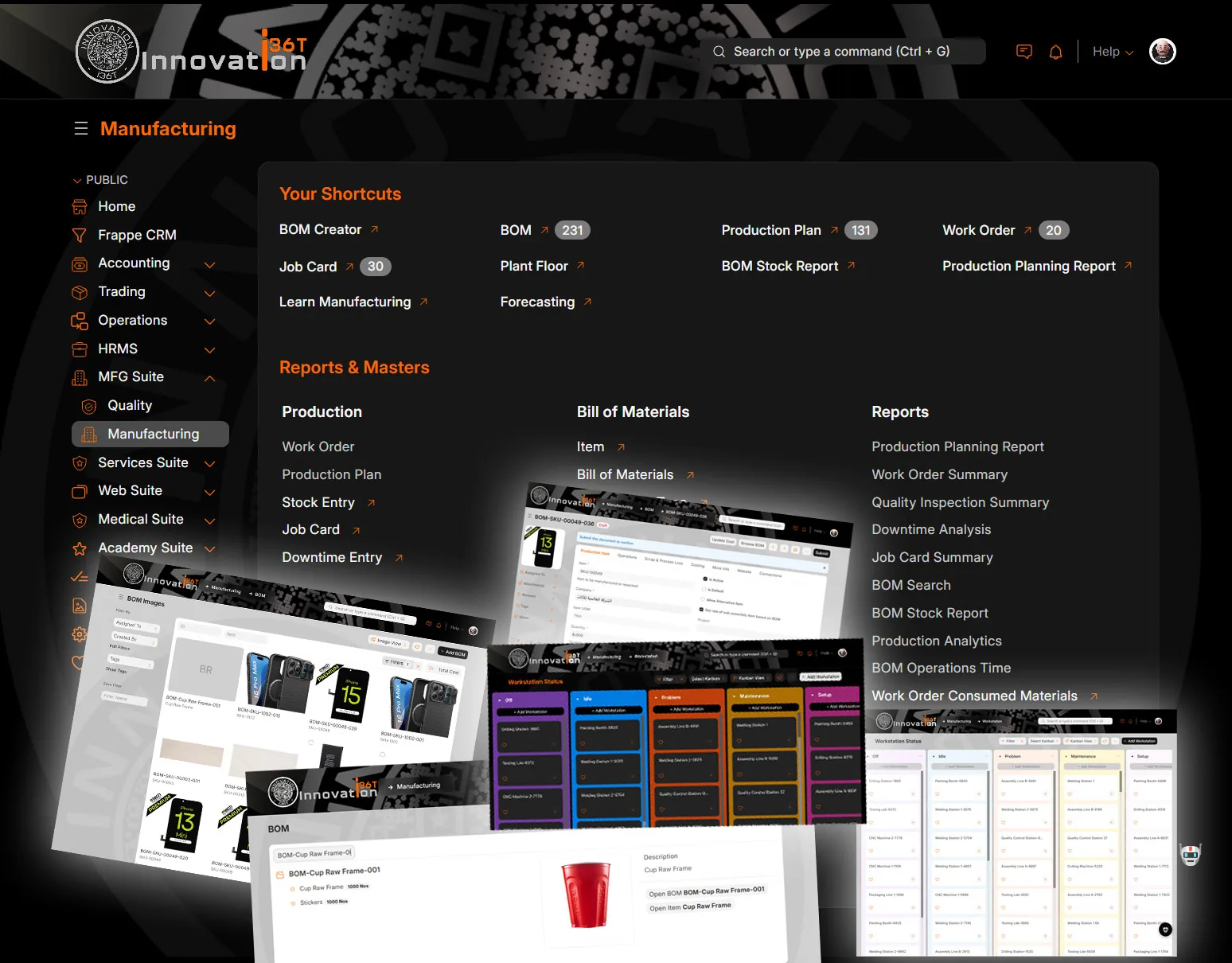
ERP36T Manufacturing: Manufacturing workspace with BOM and workstation screens
Manufacturing workspace with BOM and workstation screens

What's included

Manufacturing components.

What the Manufacturing module covers, out of the box.

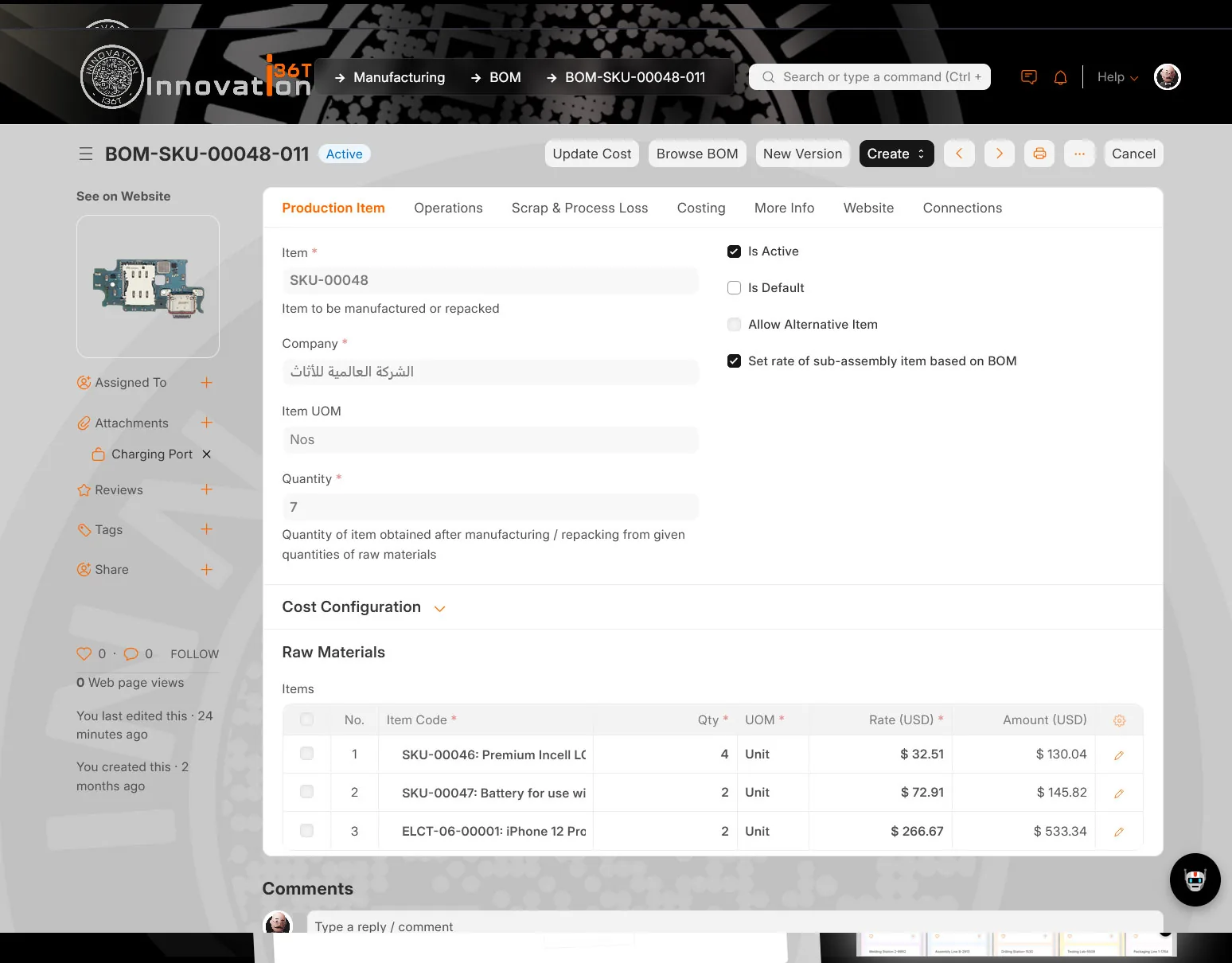
  • Bill of Materials Management
  • Production Planning
  • Work Order Management
  • Job Card Management
  • Routing Management
  • Operations Management
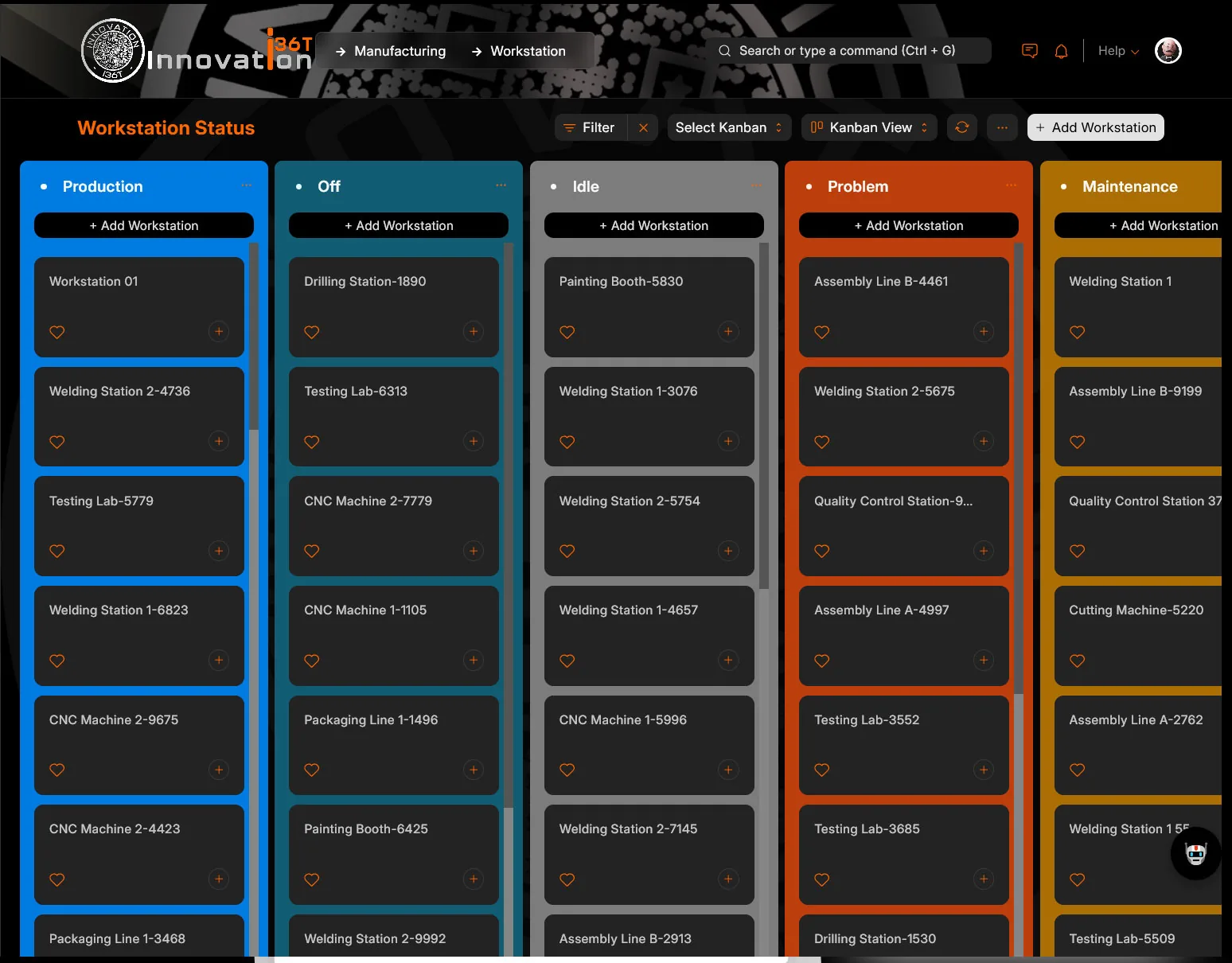
  • Workstation Management
  • Production Scheduling
  • Material Requirement Planning
  • Capacity Planning
  • Raw Material Consumption Tracking
  • Finished Goods Management
  • Subcontracting Management
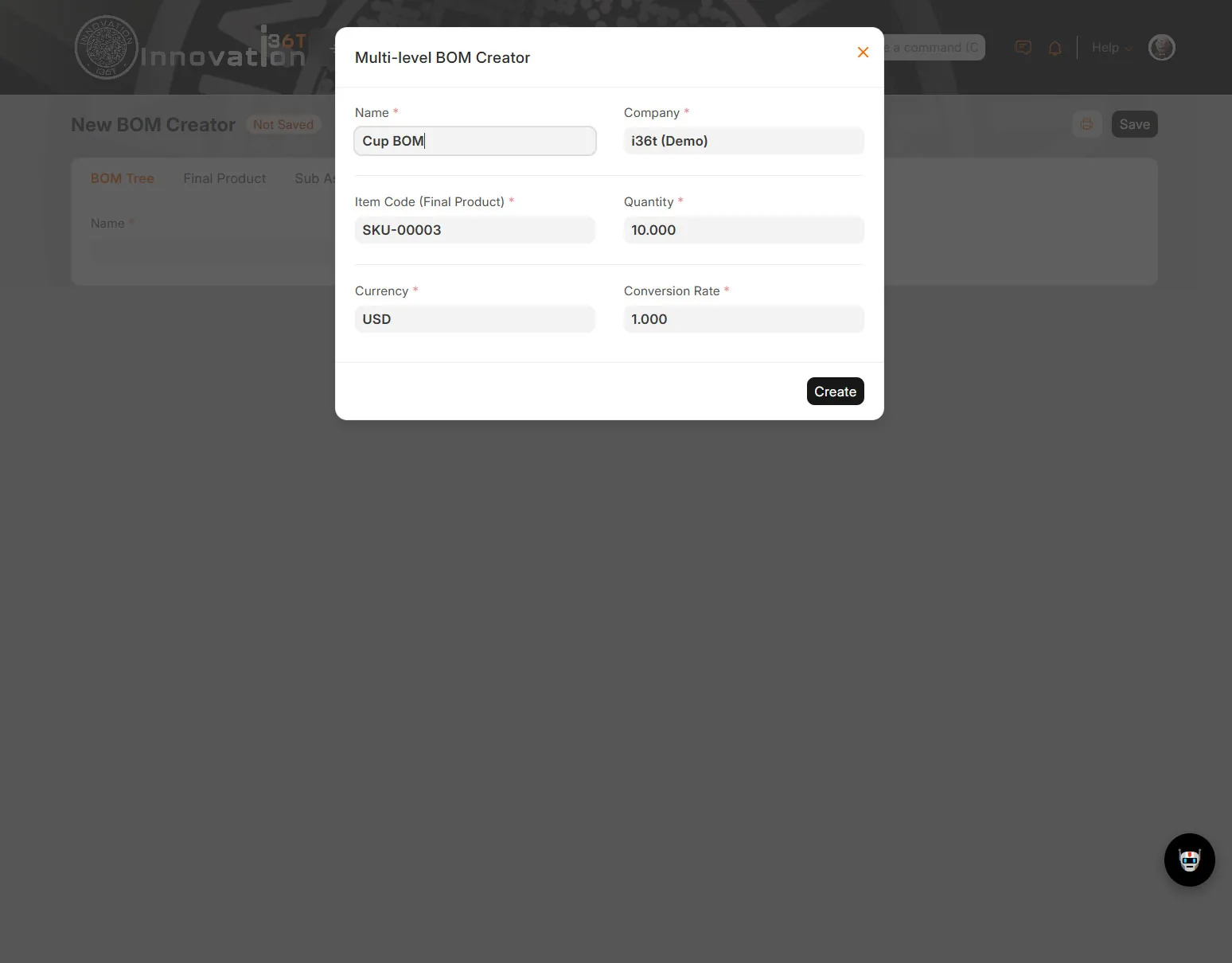
  • BOM Explosion and Multi-Level BOM
  • Batch and Serial Number Tracking
  • Scrap and Wastage Management
  • Quality Inspection
  • Rework Management
  • Production Costing
  • Labor and Machine Time Tracking
  • Production Stock Entry
  • Warehouse Integration
  • Procurement Integration
  • Inventory Integration
  • Sales Order Linked Production
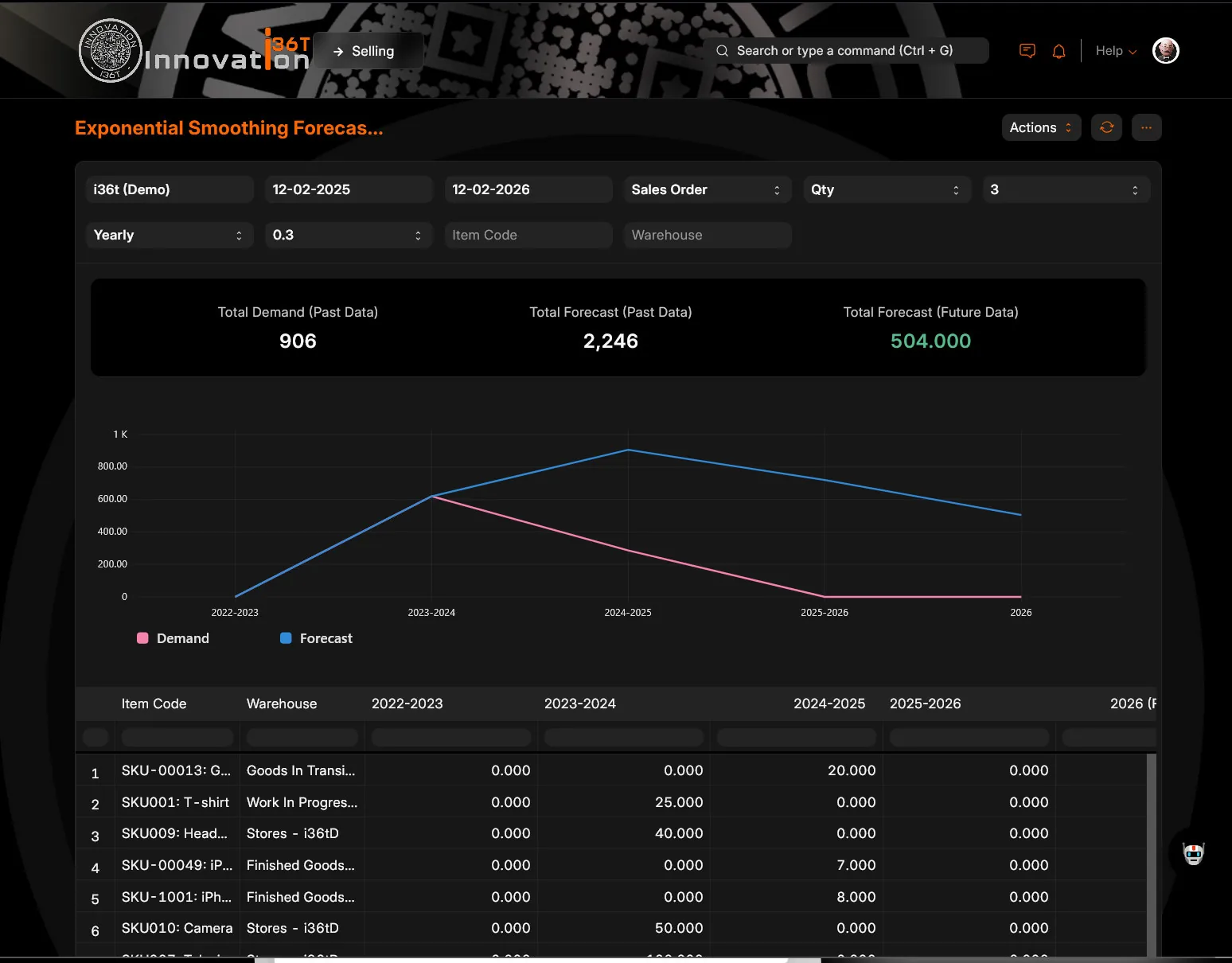
  • Demand Forecasting
  • Maintenance Coordination
  • Production Analytics and Reporting
  • Multi-Plant or Multi-Unit Manufacturing Support
  • Compliance and Audit Trail

Key features

What you can do with Manufacturing.

Bill of Materials (BOM)Define detailed BOMs for every product with raw material requirements, costs, and production stages, ensuring precise production planning.
Work Order ManagementCreate and manage work orders efficiently, tracking production progress and managing material consumption in real-time.
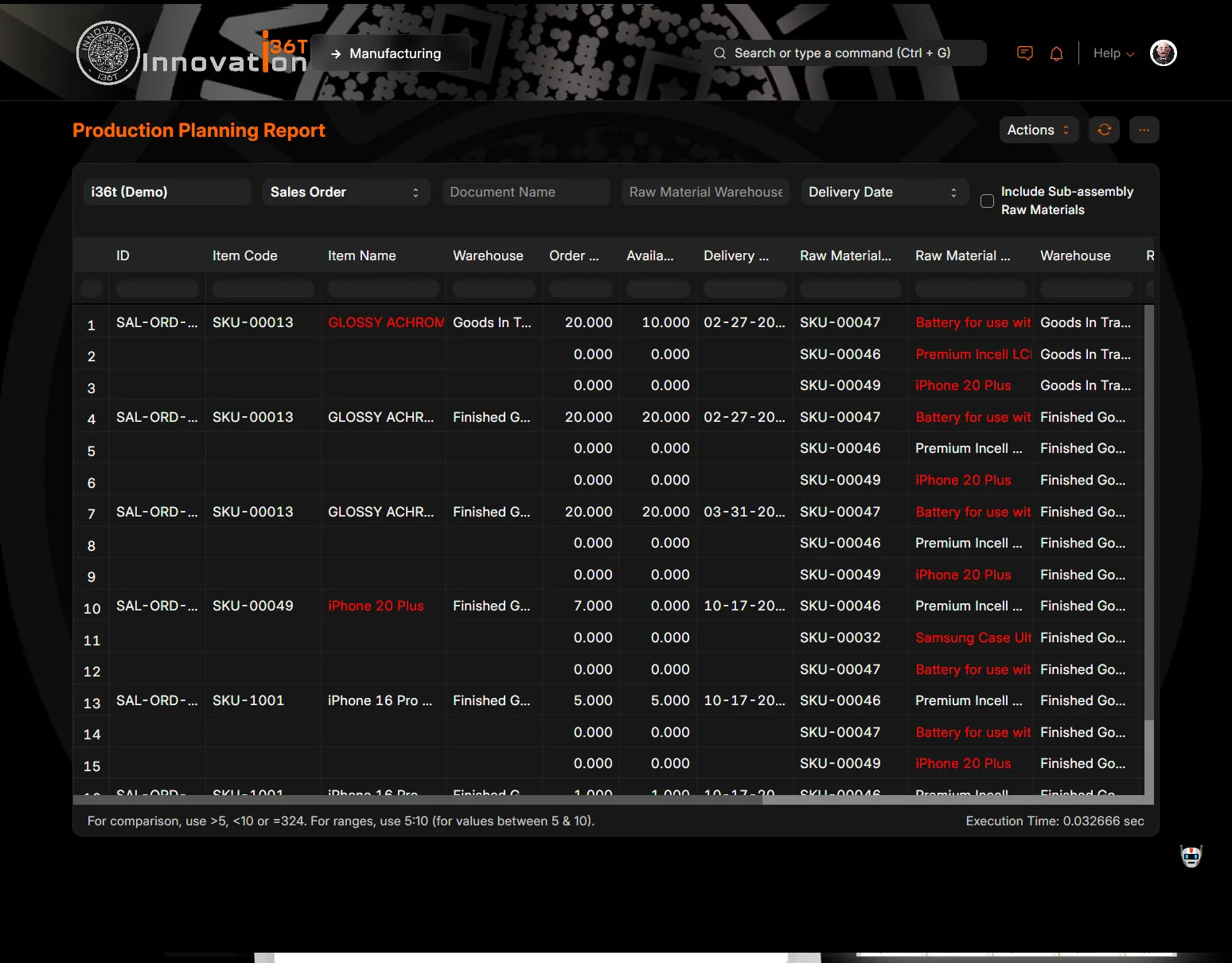
Production PlanningPlan and schedule production with accurate demand forecasts, material availability checks, and capacity planning.
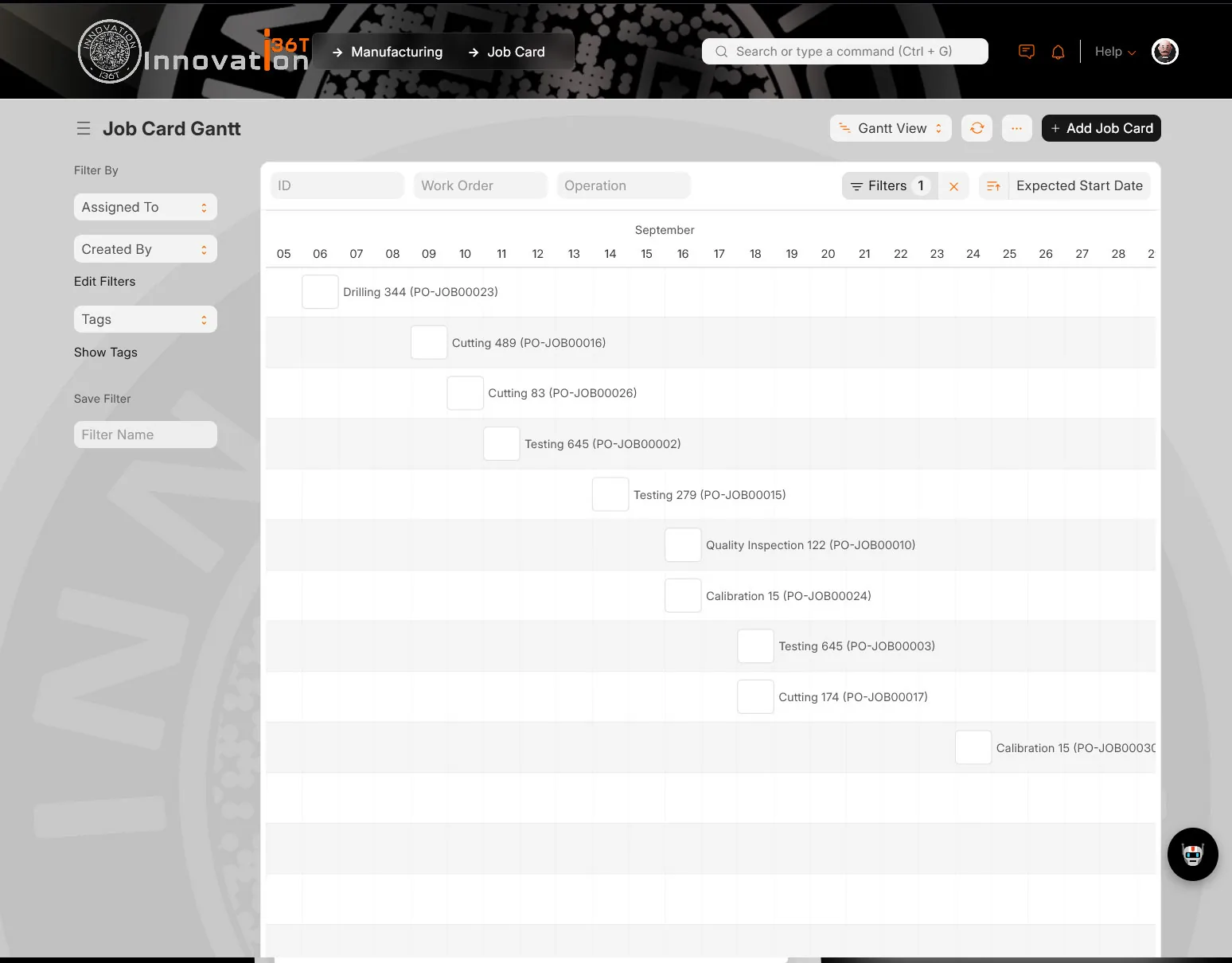
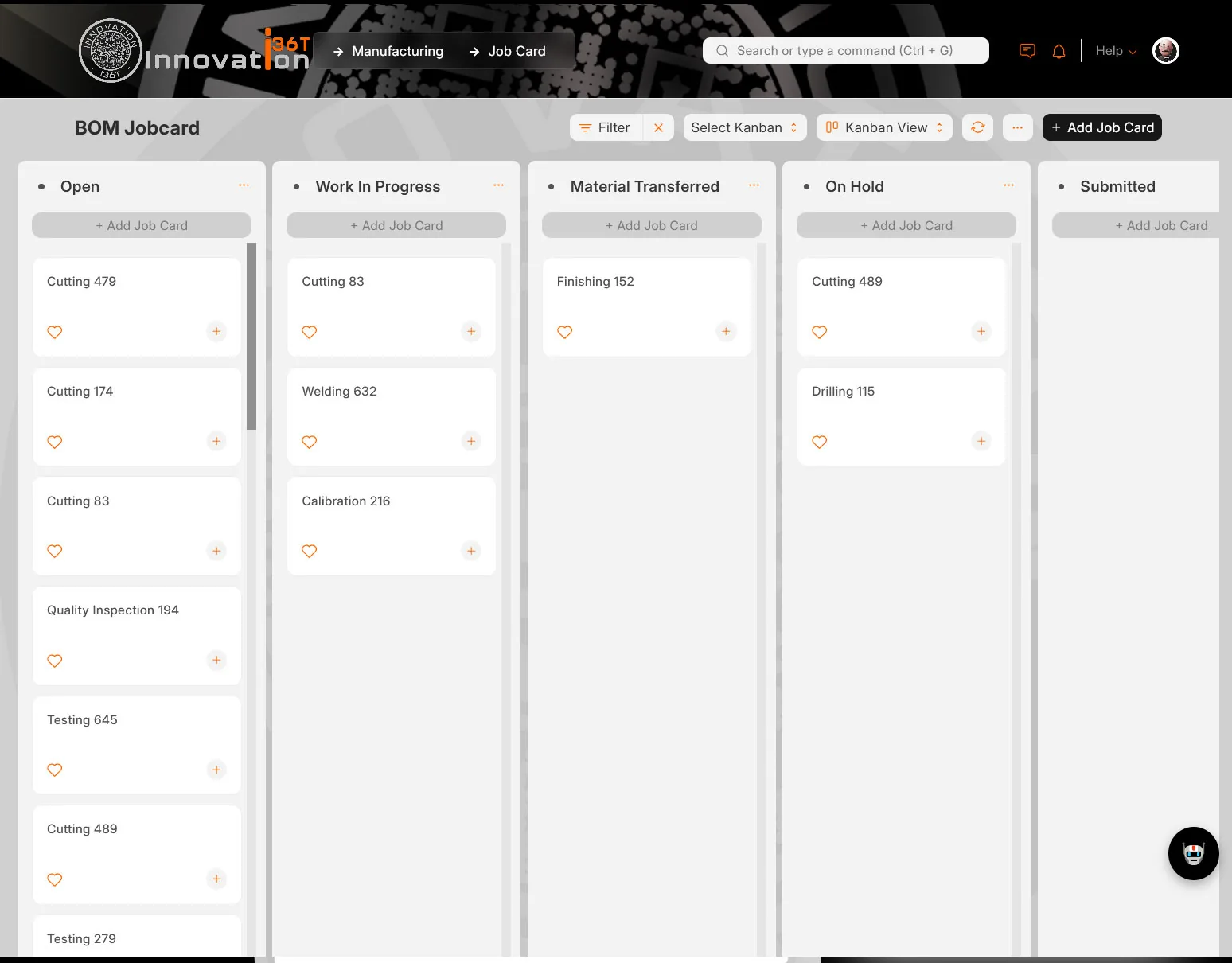
Job CardsStreamline manufacturing operations with job cards, assigning tasks to workers and tracking their progress with precision.
Material Resource Planning (MRP)Optimize material procurement and usage with MRP tools to minimize waste and ensure timely availability of resources.
Inventory ControlMonitor raw materials, work-in-progress, and finished goods inventories with real-time tracking and automated stock adjustments.
SubcontractingManage outsourced manufacturing processes seamlessly, tracking raw materials sent and finished goods received from subcontractors.
Production AnalyticsGain insights into production efficiency, downtime, and resource utilization with comprehensive analytics tools.
Cost TrackingTrack production costs, including labor, materials, and overheads, ensuring accurate financial reporting and cost optimization.
Batch TrackingEnsure product traceability with batch tracking, monitoring production lots, and expiry dates across the supply chain.
Quality ControlImplement quality checks at various production stages to maintain high standards and minimize defective goods.
Integration with Other ModulesSeamlessly integrate manufacturing with sales, purchase, and stock modules for a unified operational workflow.
Customizable FlowsTailor manufacturing workflows to fit your unique business needs and improve operational efficiency with ERP36T.
Sales Order ManagementStreamline the order-to-production process by linking sales orders directly with manufacturing plans and stock availability.
Purchase Order ManagementManage raw material procurement by automating purchase orders based on production demand and inventory levels.
Stock ReplenishmentMonitor and replenish inventory levels automatically with predefined reorder points to ensure uninterrupted production cycles.
Multi-Warehouse ManagementTrack and manage inventory across multiple warehouses with centralized stock visibility and transfer capabilities.
Order FulfillmentEnsure timely delivery by integrating production schedules with order fulfillment and shipment processes.
Inventory ValuationTrack inventory value with real-time updates, including FIFO, LIFO, or moving average methods for accurate cost accounting.
Stock TransfersManage internal stock transfers between warehouses efficiently to meet production and order requirements.
Product CategorizationOrganize raw materials and finished goods into categories for better inventory tracking and production planning.
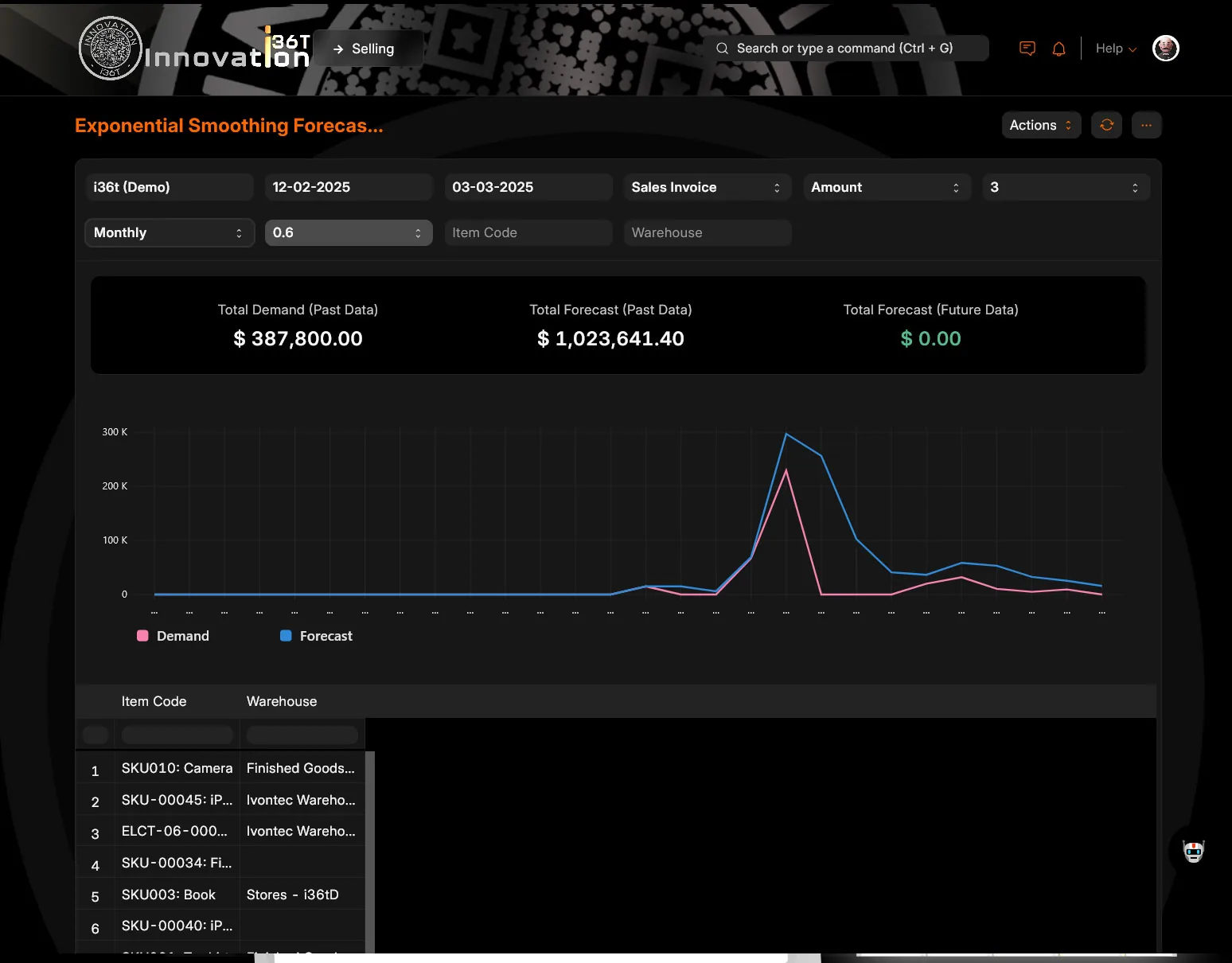
Demand ForecastingLeverage historical data and trends to predict future demand and align inventory and production plans accordingly.
Barcode and QR Code SupportUse barcode and QR code scanning for faster inventory management, stock tracking, and order processing.
Standard on every ERP36T module (18)
WorkflowStreamline processes with configurable workflows tailored to business needs.
ChatbotEnhance customer interaction with AI-driven chatbot capabilities.
Notification & Event SchedulerAutomate reminders and schedule events for efficient task management.
Data Upload & DownloadEasily import and export bulk data for seamless operations.
Bulk Records UpdateUpdate multiple records simultaneously with user-friendly tools.
OAuth Security including 2FAEnsure secure access with OAuth protocols and two-factor authentication.
Google PluginsIntegrate seamlessly with Google Workspace tools for enhanced productivity.
To Do Task ManagementKeep track of tasks and prioritize with a built-in to-do list feature.
Document Management & SharingOrganize and share documents securely across teams and departments.
Full Data & Feature Security User ControlsControl access to data and features with robust user permission settings.
Self Services and Web PortalEmpower users with self-service options and an intuitive web portal.
Payment GatewayFacilitate online payments with secure and integrated payment gateways.
Record HistoryTrack changes to records with a detailed audit trail for accountability.
Integration with Legacy SystemsSeamlessly connect with existing legacy systems for smooth transitions.
B2B IntegrationFacilitate business-to-business connections and workflows effectively.
B2C IntegrationConnect directly with consumers for streamlined operations and services.
WhatsApp IntegrationEngage with users through WhatsApp for efficient communication.
Social Media IntegrationExpand your reach by connecting with social media platforms.

Screenshots

Manufacturing in ERP36T.

Real screens from ERP36T. Select any screen to open it full size.
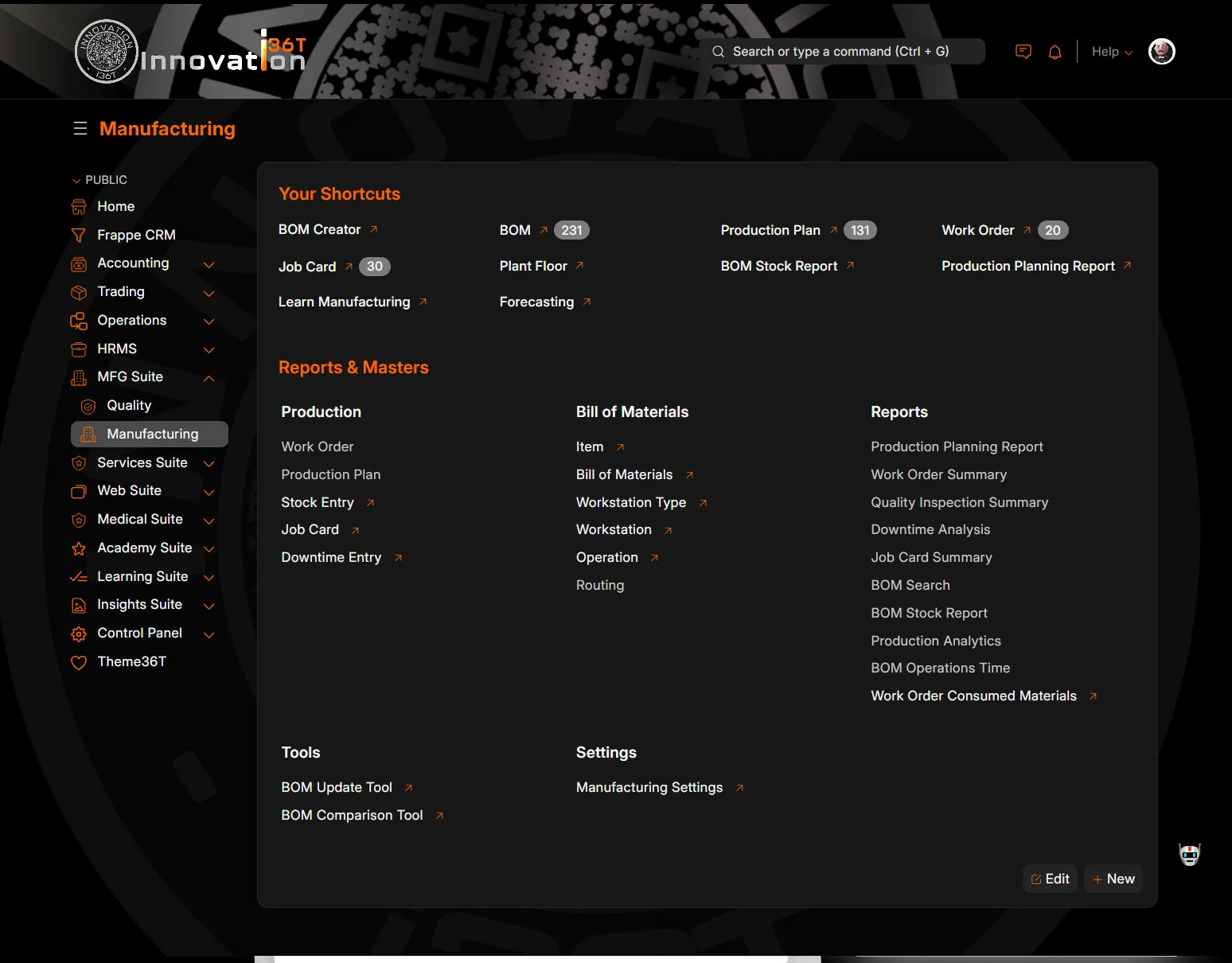
ERP36T Manufacturing: Manufacturing workspace with production reports
Manufacturing workspace with production reports
ERP36T Manufacturing: Workstation status Kanban board
Workstation status Kanban board
ERP36T Manufacturing: Multi-level BOM creator dialog
Multi-level BOM creator dialog
ERP36T Manufacturing: Bill of materials with raw materials list
Bill of materials with raw materials list
ERP36T Manufacturing: Yearly exponential smoothing forecast of sales order quantity
Yearly exponential smoothing forecast of sales order quantity
ERP36T Manufacturing: Monthly exponential smoothing forecast of sales invoice amounts
Monthly exponential smoothing forecast of sales invoice amounts
ERP36T Manufacturing: Job card Gantt chart by operation
Job card Gantt chart by operation
ERP36T Manufacturing: BOM job card Kanban board by status
BOM job card Kanban board by status
ERP36T Manufacturing: Production planning report for sales orders
Production planning report for sales orders
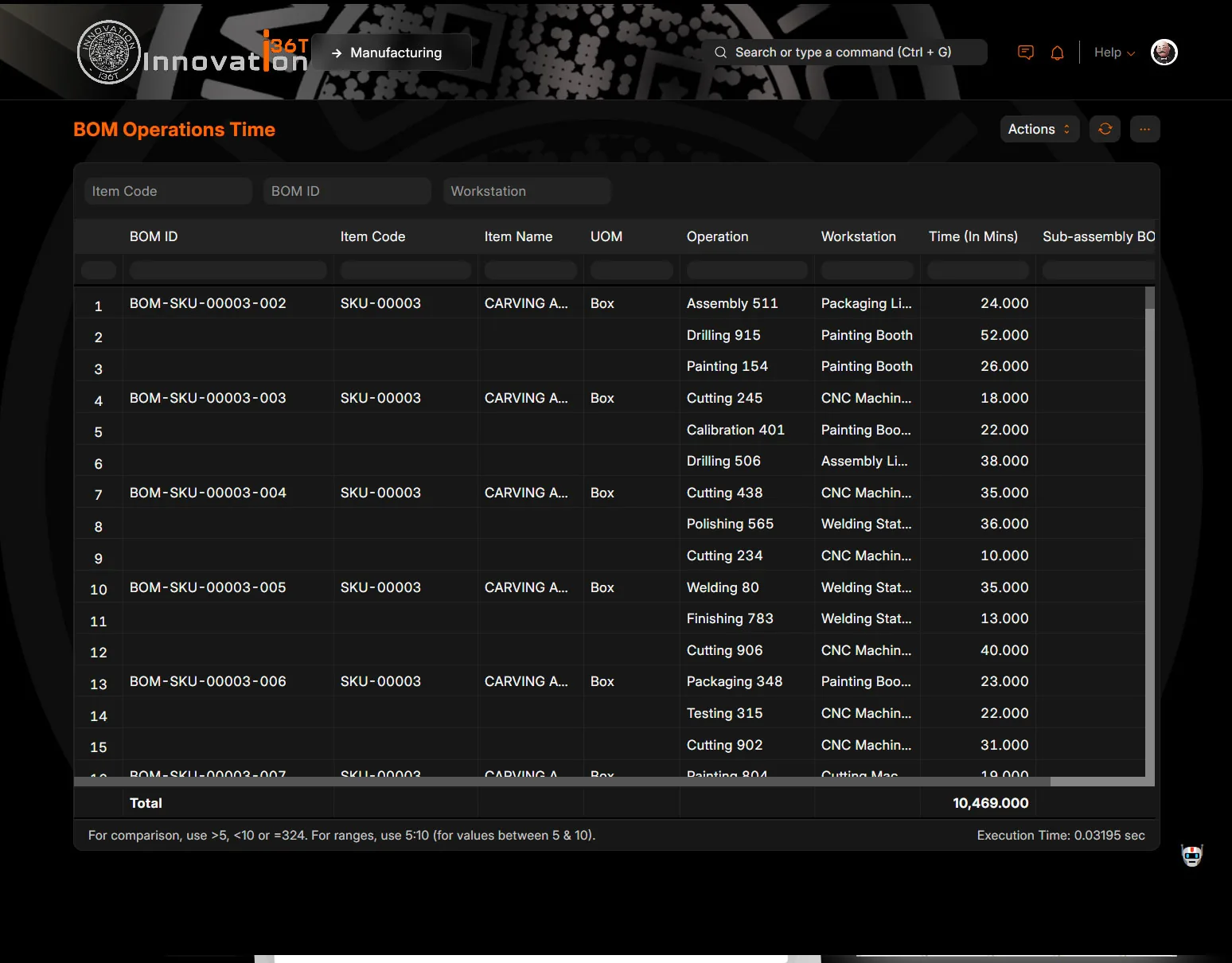
ERP36T Manufacturing: BOM operations time report by workstation
BOM operations time report by workstation
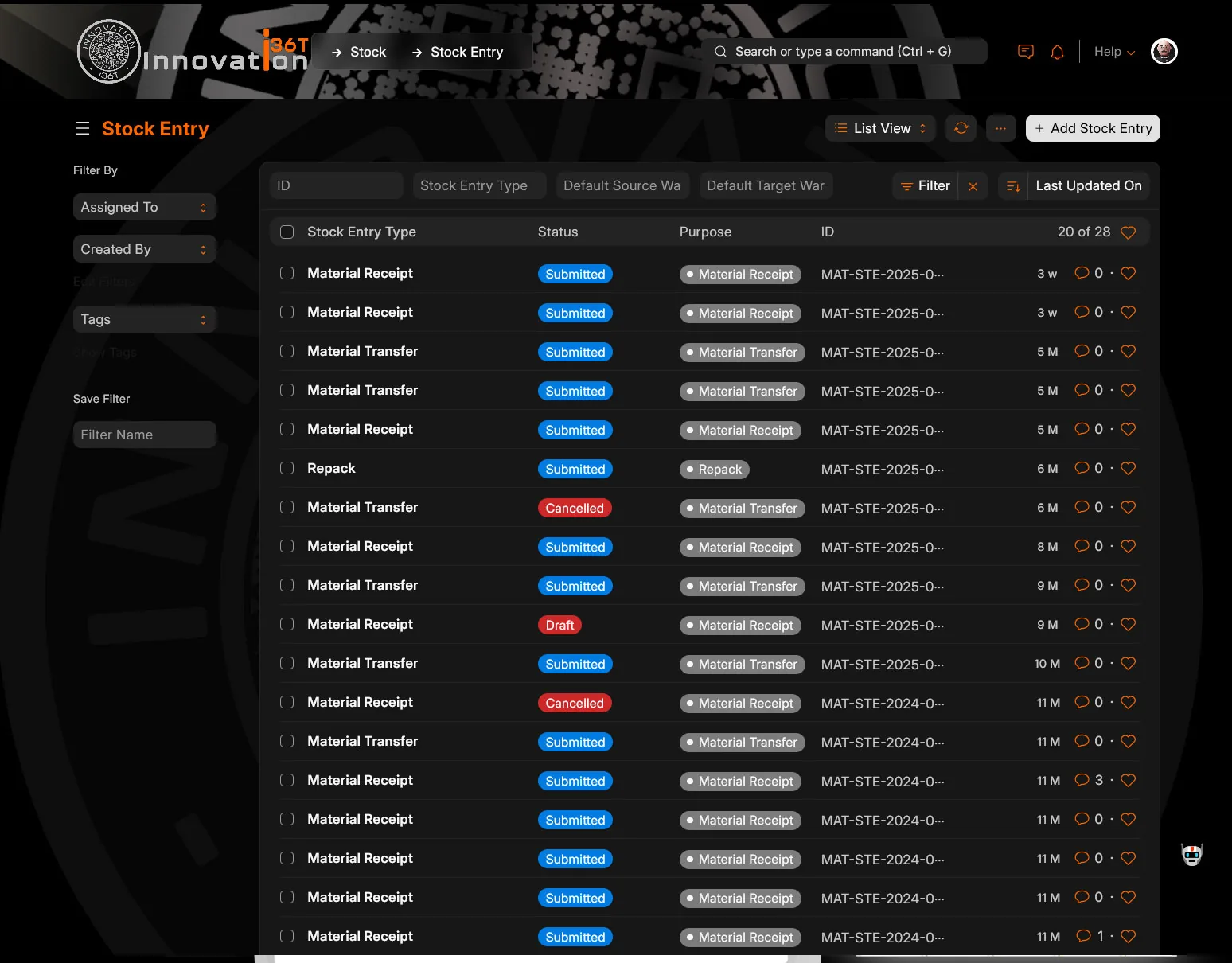
ERP36T Manufacturing: Stock entry list by type and status
Stock entry list by type and status

End to end

How a production order runs, end to end.

Sales OrderProduction PlanMaterial RequestPurchaseWork OrderJob CardQualityFinished GoodsInvoice

Demand drives the plan, the plan drives procurement, and cost accumulates against the order.

Why it matters

Why teams run Manufacturing on ERP36T.

ERP36T Manufacturing helps businesses improve production control, product consistency, and operational efficiency. It provides real-time visibility into materials, work orders, job progress, machine utilization, and production costs, while integrating seamlessly with inventory, procurement, sales, accounting, quality, and maintenance processes. The system supports make-to-stock and make-to-order workflows, subcontracting operations, multi-level BOM structures, and production planning based on demand and available capacity. With automated scheduling, accurate material tracking, better shop floor coordination, and detailed reporting, ERP36T Manufacturing enables organizations to reduce manual effort, improve output quality, optimize costs, and deliver products on time with confidence.

Connected across ERP36T

One platform, one database.

Included from the Professional plan. ERP36T is priced by plan, not by module. See pricing

Related solutions

Works with the rest of ERP36T.

Inventory & Supply Chain

Stock, purchasing and fulfillment, visible end to end.

Explore Inventory & Supply Chain

Subcontracting

Outsourced work with full material and cost control.

Explore Subcontracting

Accounting

Financial control without disconnected systems.

Explore Accounting

Sales & Retail

The complete sales cycle, from quotation to payment.

Explore Sales & Retail

Next step

See Manufacturing run on your own data.

Book a live demo, price your setup, or get a free assessment of what ERP36T would take over first.