Ready Solutions · Point of Sale

ERP36T Point of Sale

Fast checkout, connected to stock and the books. ERP36T Point of Sale runs fast retail sales, payments and stock updates, and links every till to accounting, inventory and replenishment across one or many stores.

Included in ERP36T Retail, which starts on the Business plan. See pricing

Overview

What Point of Sale does

Point of Sale is a critical part of retail operations, connecting customer transactions with billing, inventory movement, accounting records, and store-level execution. ERP36T POS module is designed to manage fast retail sales, invoicing, payments, stock updates, replenishment planning, warehousing, and back-office control in one connected system. By linking the POS screen directly with retail, accounting, inventory, supply chain, and warehouse functions, businesses can reduce manual work, improve checkout speed, and maintain real-time visibility into sales and stock positions. This helps organizations run front-end and back-end retail operations more efficiently across single or multiple store locations.

Point of Sale runs on the same ERP36T platform and database as every other module, so its records are shared, not copied, across the business.
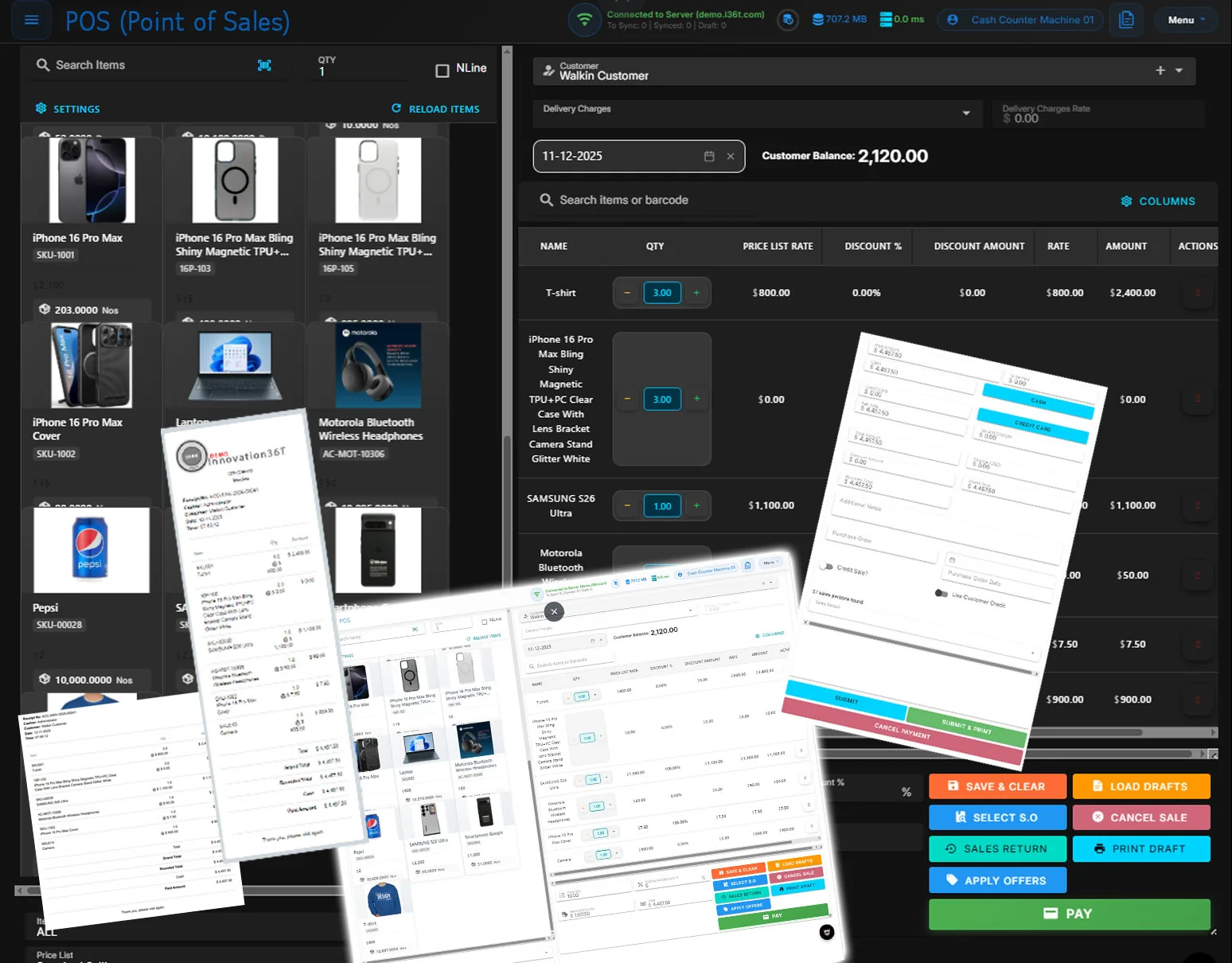
ERP36T Point of Sale: Checkout screen with printed receipts and payment panel
Checkout screen with printed receipts and payment panel

What's included

Point of Sale components.

What the Point of Sale module covers, out of the box.

  • POS Screen and Checkout Management
  • Retail Sales Processing
  • Sales Invoicing
  • Cash and Payment Collection
  • Multiple Payment Methods
  • POS Profile Management
  • Store and Counter Configuration
  • Customer Management
  • Loyalty and Promotions Management
  • Discount and Pricing Rules
  • Barcode and Item Scan Support
  • Quick Billing
  • Return and Exchange Management
  • Offline and Sync Support
  • Sales Order Integration
  • Real-Time Stock Update
  • Inventory and Stock Management
  • Warehouse Mapping
  • Multi-Store and Multi-Warehouse Support
  • Order Replenishment Planning
  • Reorder Level Monitoring
  • Procurement and Supply Chain Integration
  • Purchase and Replenishment Coordination
  • Back Office Management
  • Cash Opening and Closing Control
  • Shift and Session Management
  • Daily Sales Consolidation
  • Accounting Integration
  • Tax Management
  • ZATCA E-Invoicing for Saudi Arabia (how it works)
  • Stock Ledger and Audit Trail
  • Product Catalog and Item Management
  • Batch and Serial Number Tracking
  • Delivery and Fulfillment Coordination
  • CRM and Customer History Integration
  • Dashboard and Retail Analytics
  • Role-Based Access and User Controls

Key features

What you can do with Point of Sale.

Quick BillingEnable fast and error-free billing for retail transactions, with barcode scanning and multi-payment options.
Sales IntegrationSeamlessly integrate POS with the Sales module for real-time order tracking and invoicing.
Inventory ManagementTrack stock levels across stores in real time to ensure accurate inventory availability during sales.
Customer ManagementLink the POS module with CRM for loyalty programs, customer profiling, and personalized promotions.
Multi-Currency SupportHandle payments in multiple currencies to accommodate international customers.
Offline ModeContinue sales transactions even without internet connectivity, with automatic synchronization later.
Real-Time Sales AnalyticsGenerate detailed reports and dashboards to monitor sales trends and store performance in real time.
Multi-Store ManagementManage multiple retail outlets, including location-based pricing and stock allocation, from a centralized system.
Payment Gateway IntegrationSupport diverse payment methods, including cash, cards, wallets, and QR-based payments, for seamless transactions.
Discounts and PromotionsOffer dynamic pricing, discounts, and seasonal promotions directly through the POS interface.
Receipt CustomizationDesign and print receipts with branding, promotional messages, and detailed transaction summaries.
User Access ControlsDefine user roles and permissions to ensure secure access to sensitive POS features.
Cashier ProfilesCreate and manage cashier profiles with unique login credentials, ensuring secure and trackable transactions.
POS Profile CustomizationCustomize POS profiles by linking them to specific warehouses, payment methods, and pricing rules for streamlined operations.
Cashier Access ControlsGenerate reports on cashier performance, sales trends, and transaction history to optimize business operations.
Cash Drawer ManagementTrack cash drawer transactions with cashier-specific logs, ensuring transparency and error detection.
Cashier Shift ManagementManage cashier shifts with start and end times, along with tracking sales performance during each shift.
POS ConfigurationSet up multiple POS profiles for various locations, ensuring each store or department operates independently.
Return and Exchange HandlingEfficiently process returns, exchanges, and refunds with automatic updates to inventory and accounting.
Barcode and QR Code SupportSpeed up checkout with barcode or QR code scanning for items and promotions.
Transaction HistoryMaintain a detailed history of all transactions for auditing and future reference.
Loyalty Points SystemReward customers with loyalty points on purchases, encouraging repeat business and customer retention.
Loyalty Program ManagementCreate and manage customer loyalty programs, offering rewards based on spending thresholds or specific promotions.
Customer Membership TiersImplement tier-based memberships (e.g., Silver, Gold, Platinum) with escalating benefits and rewards for loyal customers.
Loyalty AnalyticsTrack loyalty program performance and customer engagement to identify top customers and optimize offerings.
Redeemable RewardsAllow customers to redeem accumulated loyalty points for discounts, free products, or exclusive offers at checkout.
Promotions for Loyalty MembersTarget loyalty members with exclusive promotions and offers to enhance engagement and spending.
Loyalty NotificationsSend personalized notifications about earned points, available rewards, or upcoming loyalty program updates.
Standard on every ERP36T module (18)
WorkflowStreamline processes with configurable workflows tailored to business needs.
ChatbotEnhance customer interaction with AI-driven chatbot capabilities.
Notification & Event SchedulerAutomate reminders and schedule events for efficient task management.
Data Upload & DownloadEasily import and export bulk data for seamless operations.
Bulk Records UpdateUpdate multiple records simultaneously with user-friendly tools.
OAuth Security including 2FAEnsure secure access with OAuth protocols and two-factor authentication.
Google PluginsIntegrate seamlessly with Google Workspace tools for enhanced productivity.
To Do Task ManagementKeep track of tasks and prioritize with a built-in to-do list feature.
Document Management & SharingOrganize and share documents securely across teams and departments.
Full Data & Feature Security User ControlsControl access to data and features with robust user permission settings.
Self Services and Web PortalEmpower users with self-service options and an intuitive web portal.
Payment GatewayFacilitate online payments with secure and integrated payment gateways.
Record HistoryTrack changes to records with a detailed audit trail for accountability.
Integration with Legacy SystemsSeamlessly connect with existing legacy systems for smooth transitions.
B2B IntegrationFacilitate business-to-business connections and workflows effectively.
B2C IntegrationConnect directly with consumers for streamlined operations and services.
WhatsApp IntegrationEngage with users through WhatsApp for efficient communication.
Social Media IntegrationExpand your reach by connecting with social media platforms.

Screenshots

Point of Sale in ERP36T.

Real screens from ERP36T. Select any screen to open it full size.
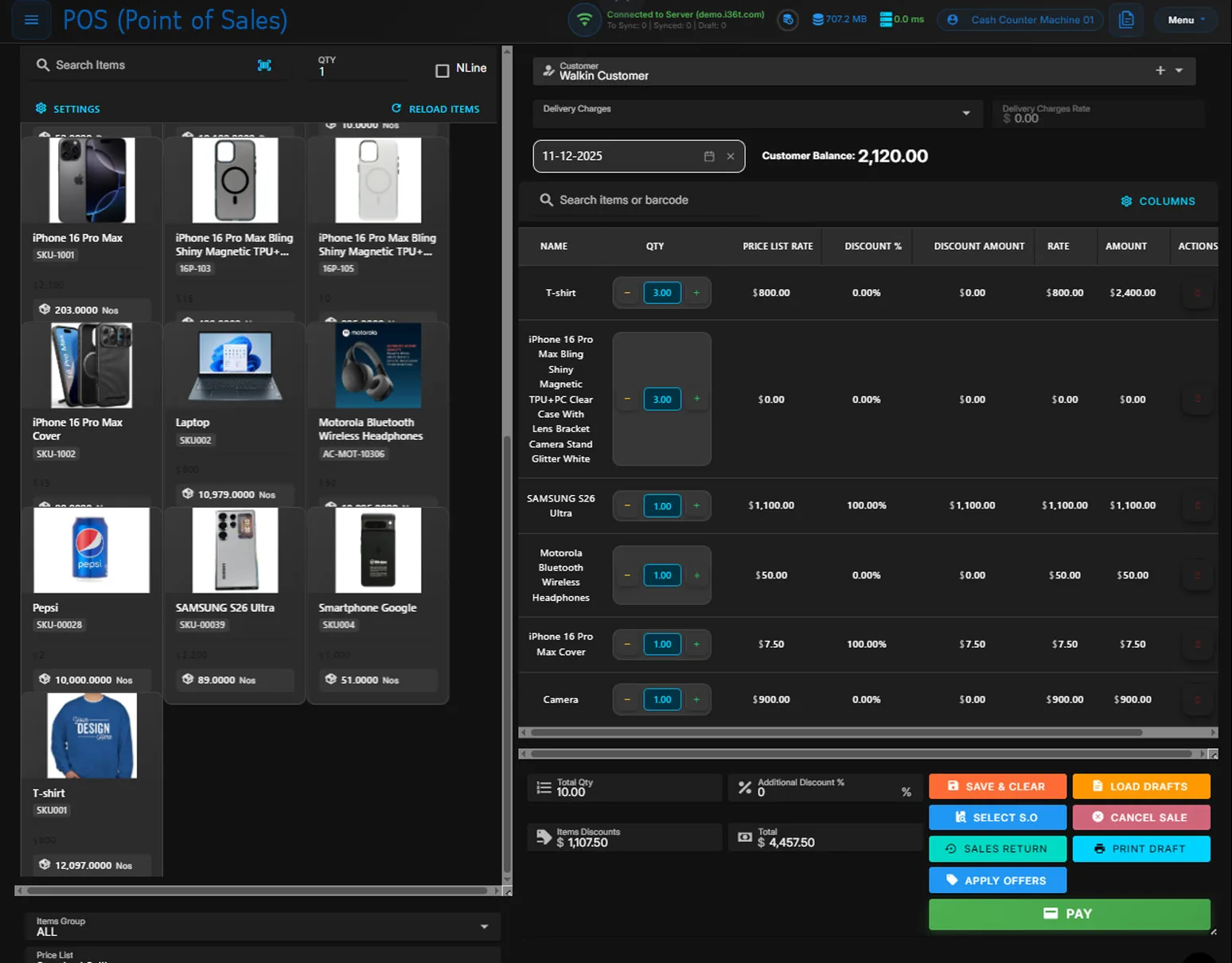
ERP36T Point of Sale: Checkout screen with product grid and cart
Checkout screen with product grid and cart
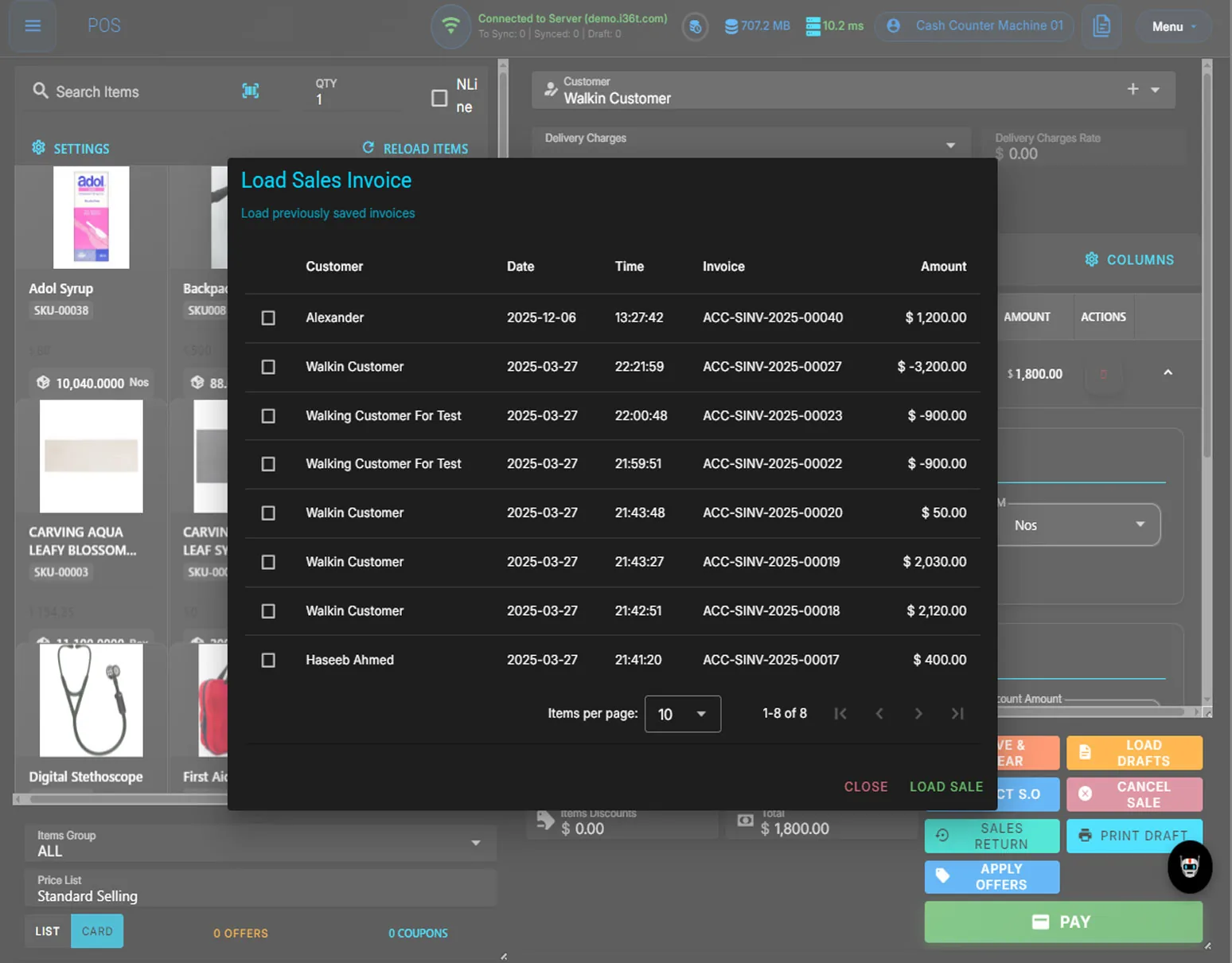
ERP36T Point of Sale: Load sales invoice dialog with saved invoices
Load sales invoice dialog with saved invoices
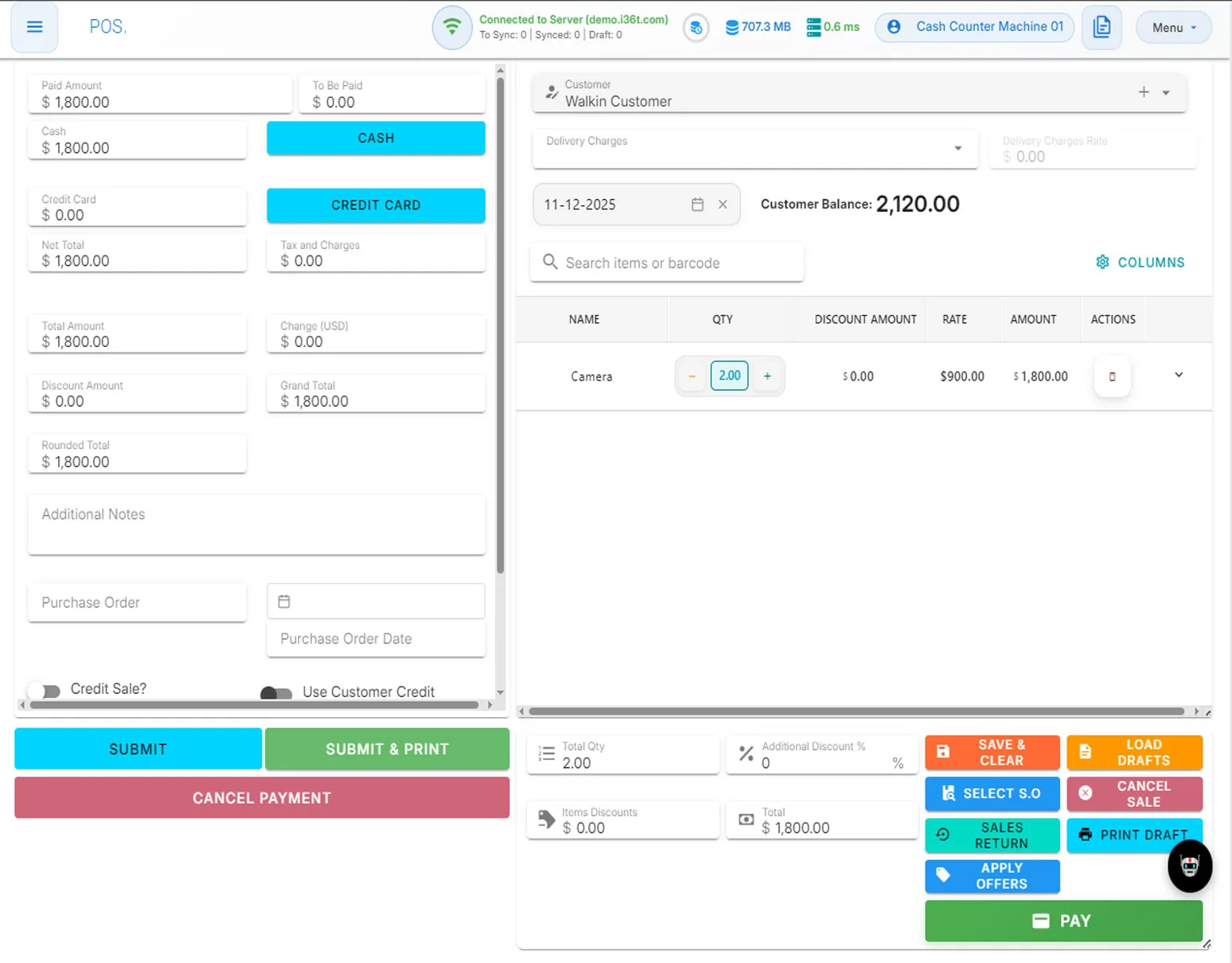
ERP36T Point of Sale: Payment panel with cash and credit card options
Payment panel with cash and credit card options
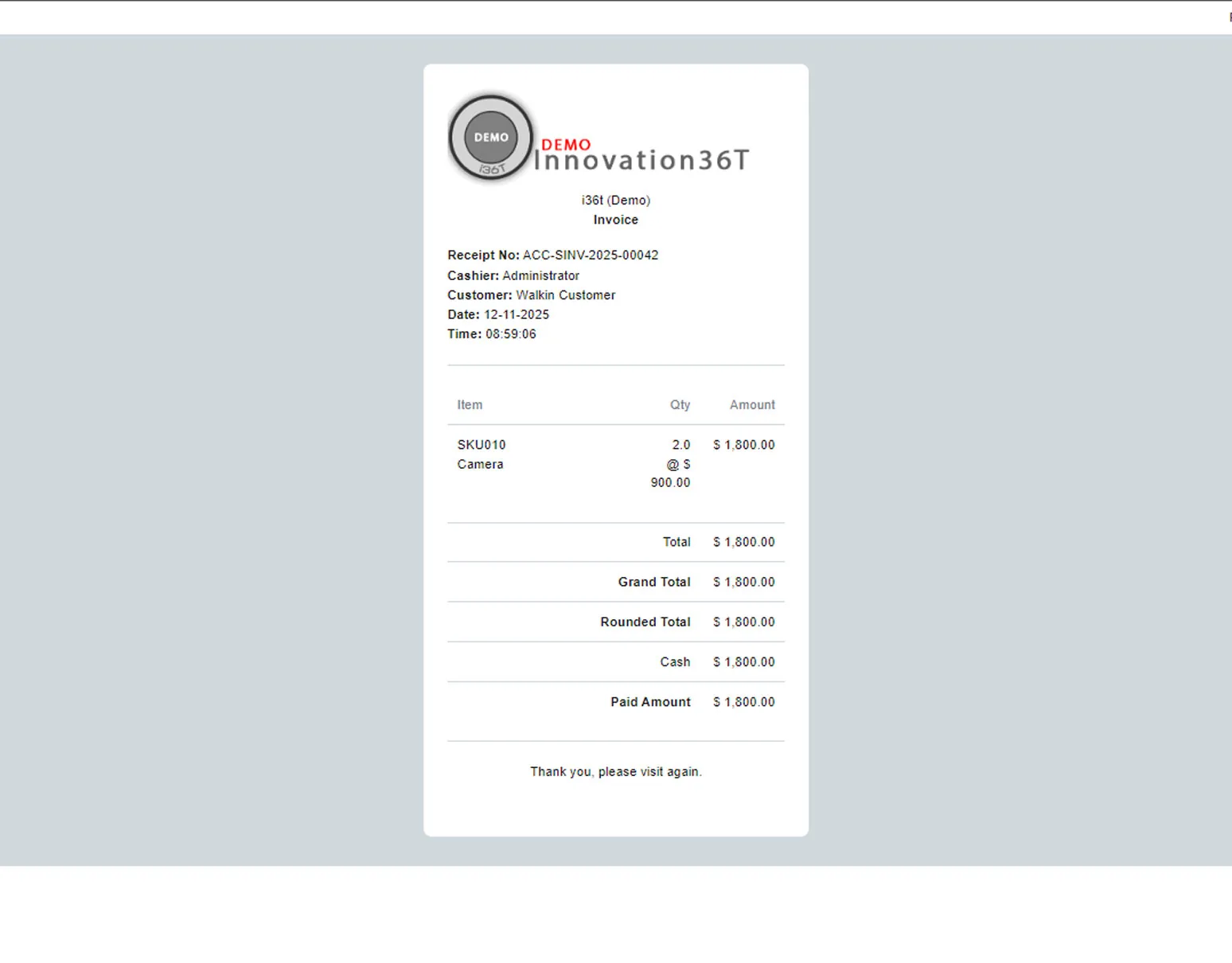
ERP36T Point of Sale: Printed sales receipt with items and totals
Printed sales receipt with items and totals
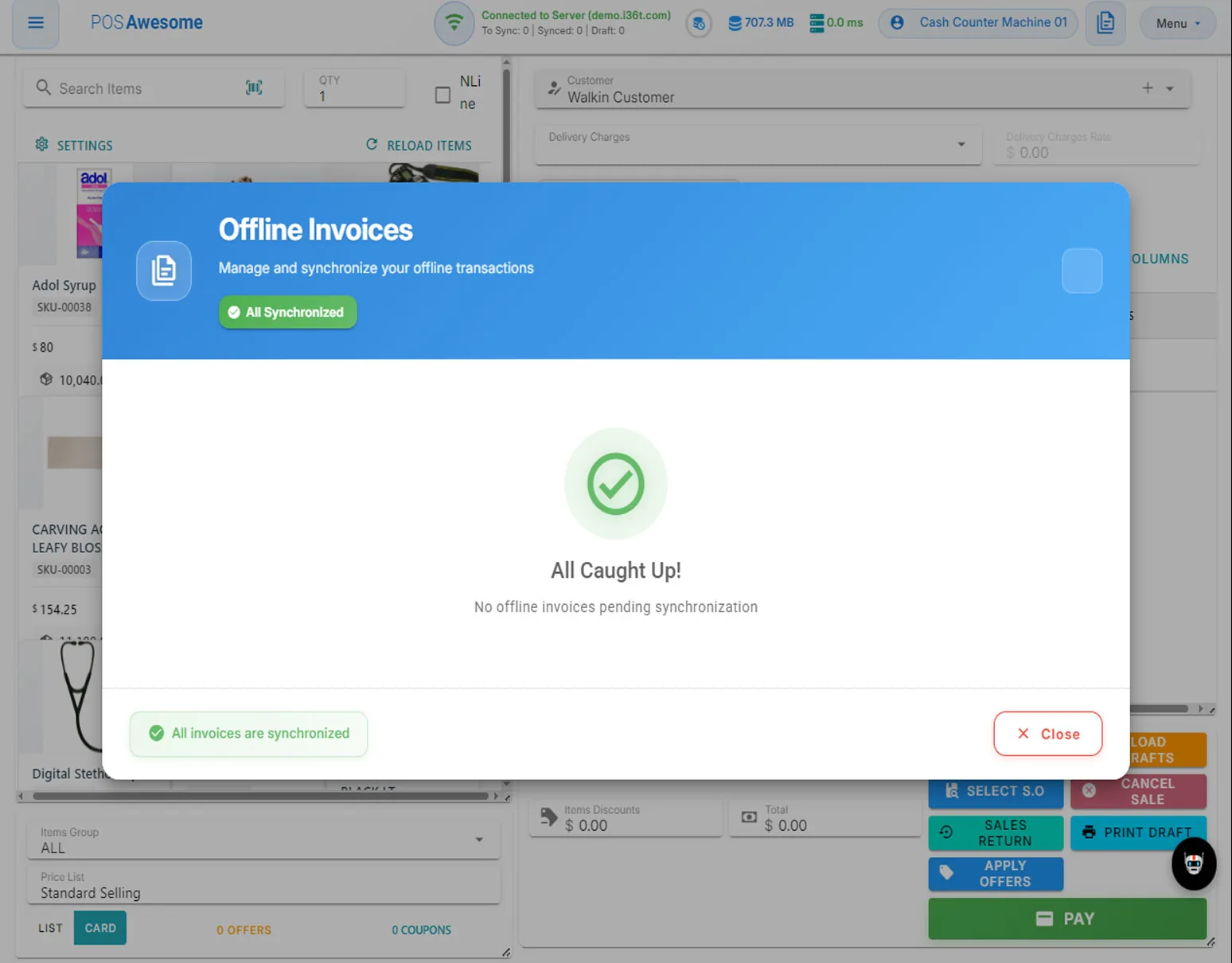
ERP36T Point of Sale: Offline invoices sync status dialog
Offline invoices sync status dialog
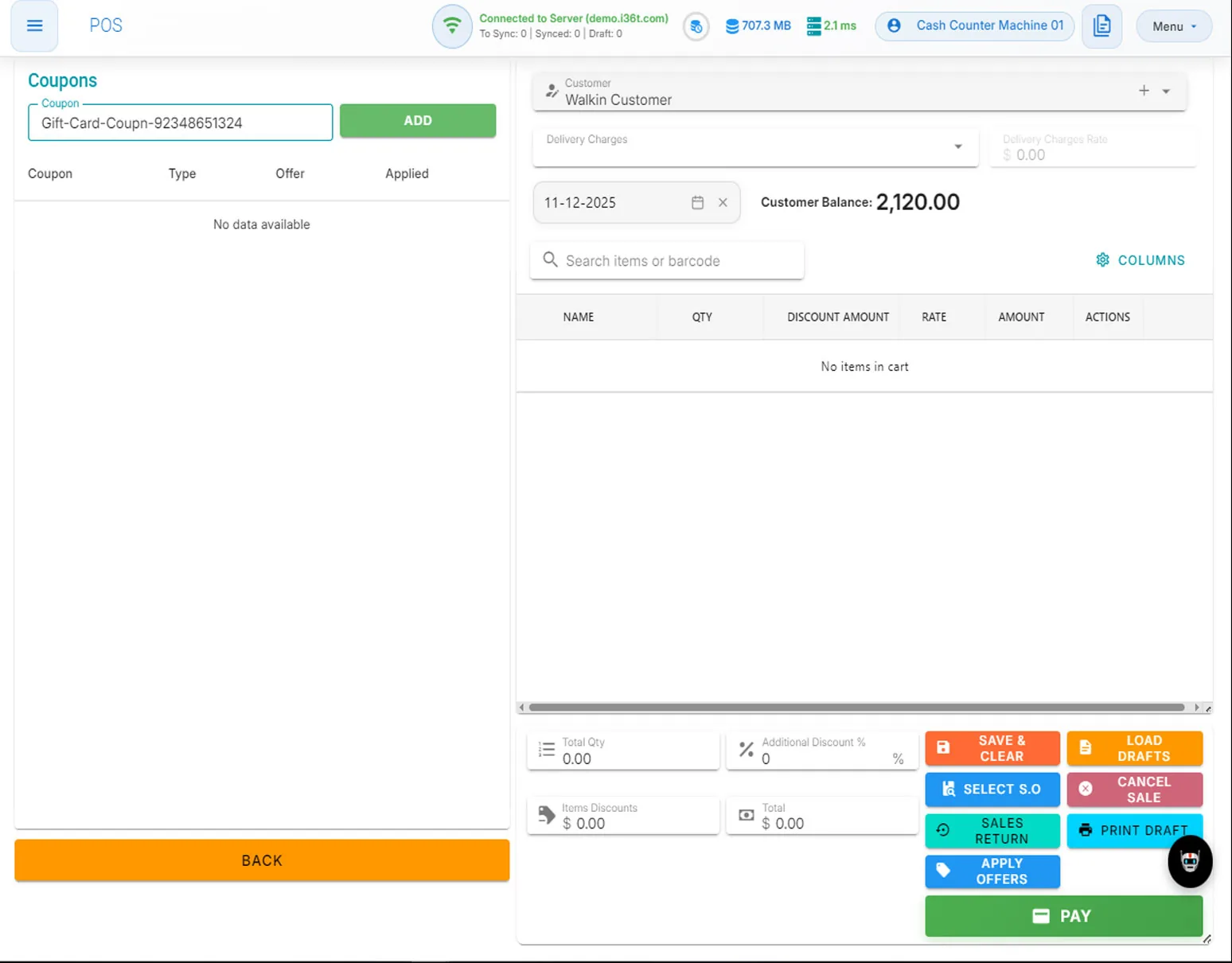
ERP36T Point of Sale: Coupon entry panel with empty cart
Coupon entry panel with empty cart
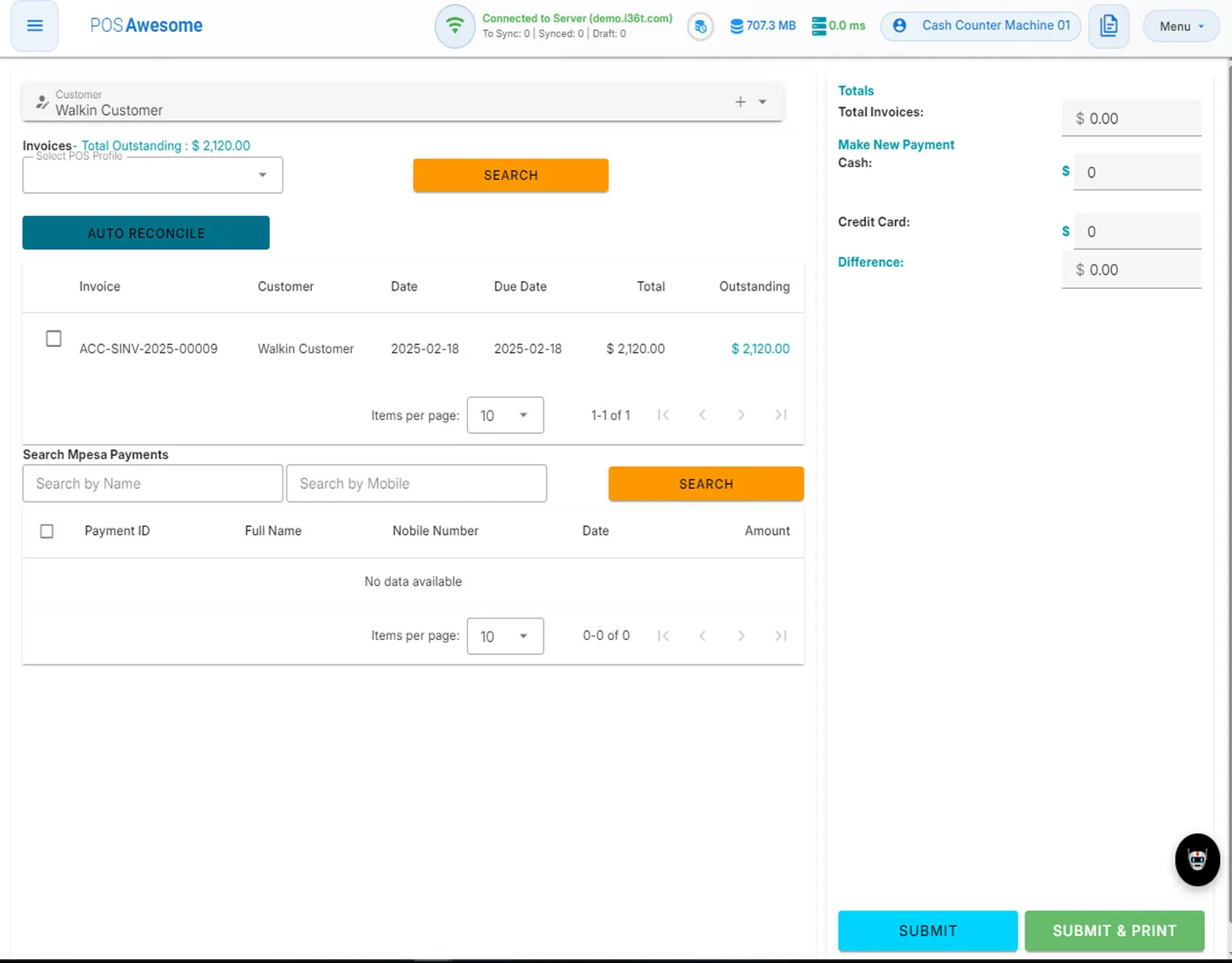
ERP36T Point of Sale: Customer payments screen with outstanding invoices
Customer payments screen with outstanding invoices
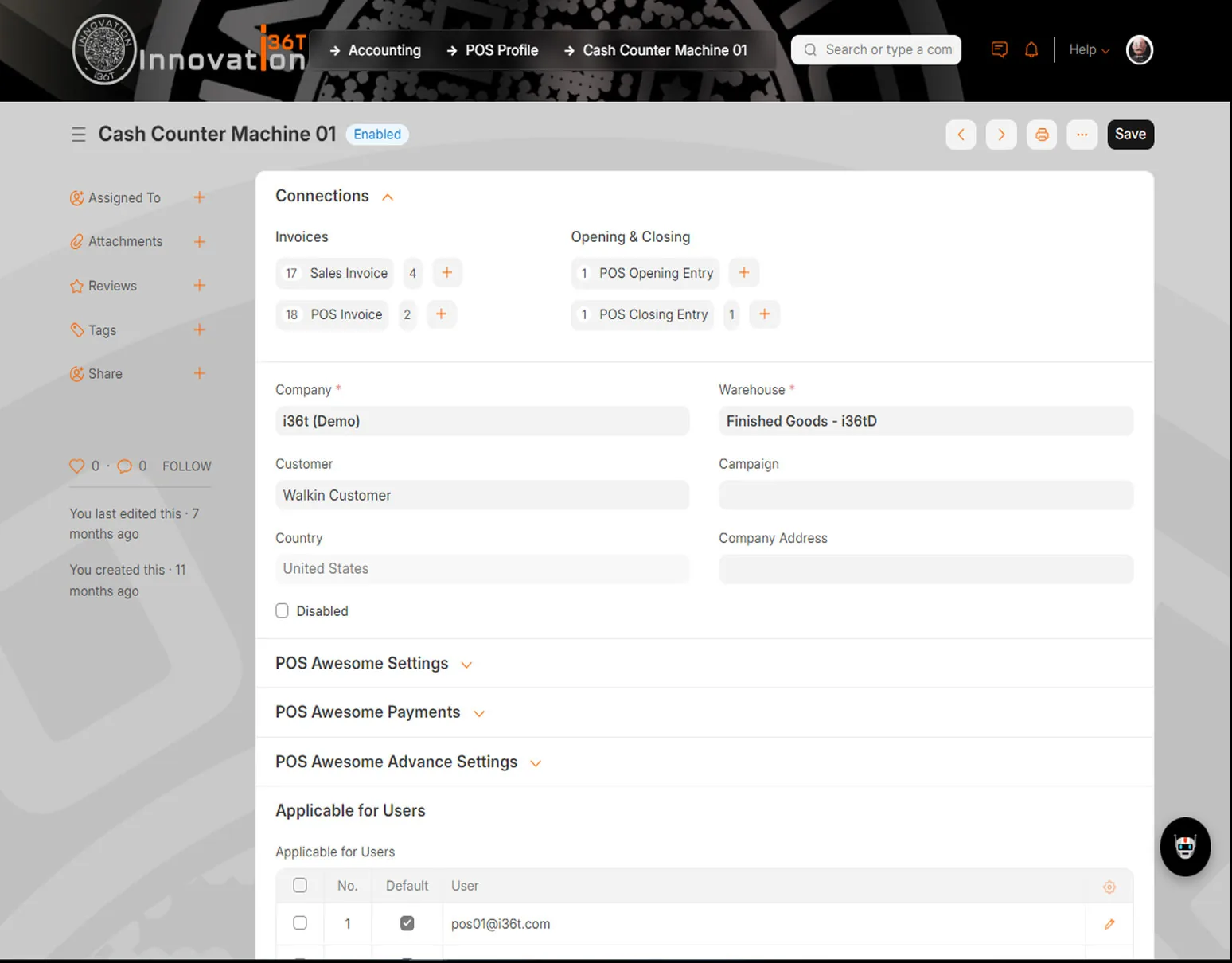
ERP36T Point of Sale: Cash counter profile with invoice connections and warehouse
Cash counter profile with invoice connections and warehouse
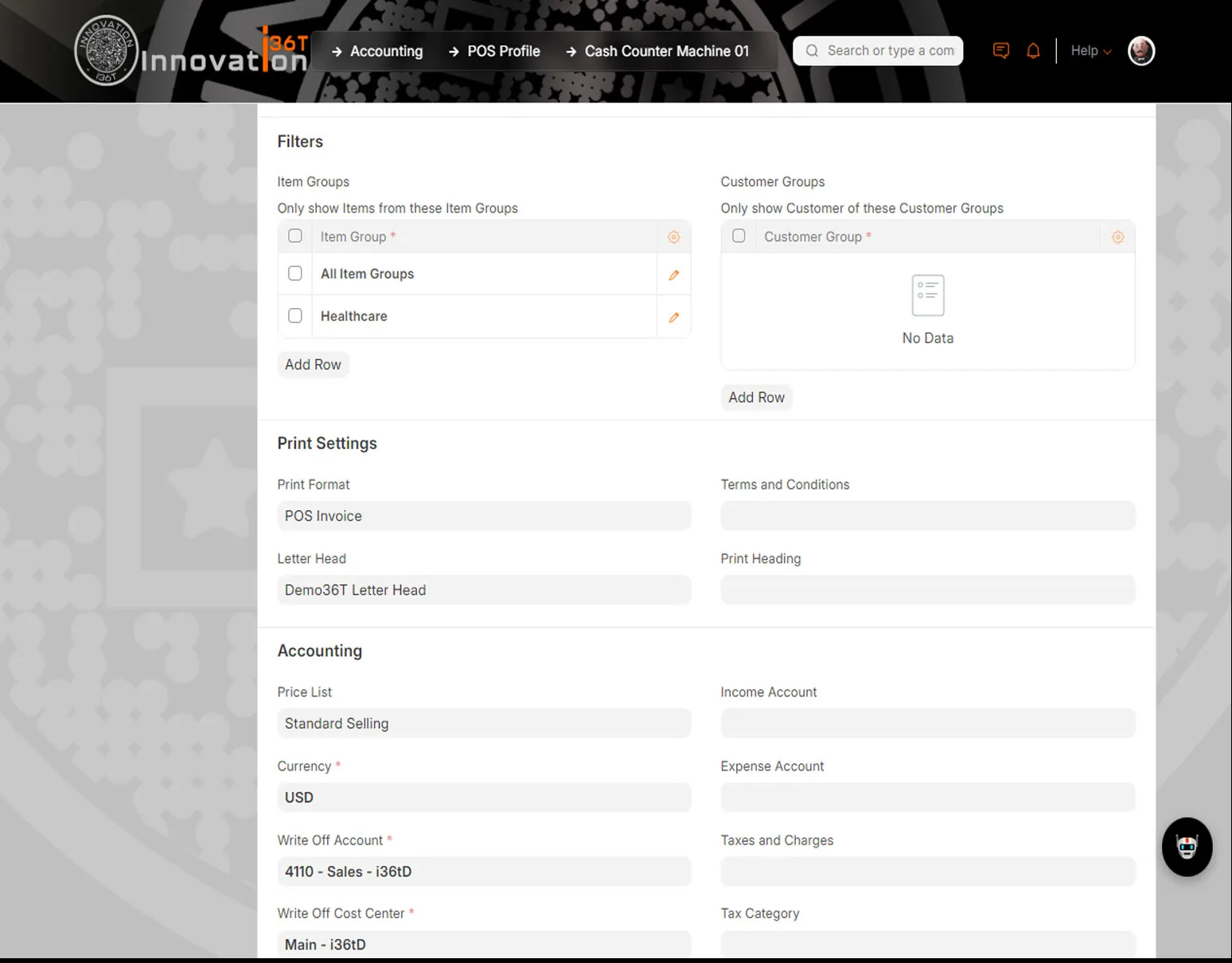
ERP36T Point of Sale: Cash counter profile print and accounting settings
Cash counter profile print and accounting settings
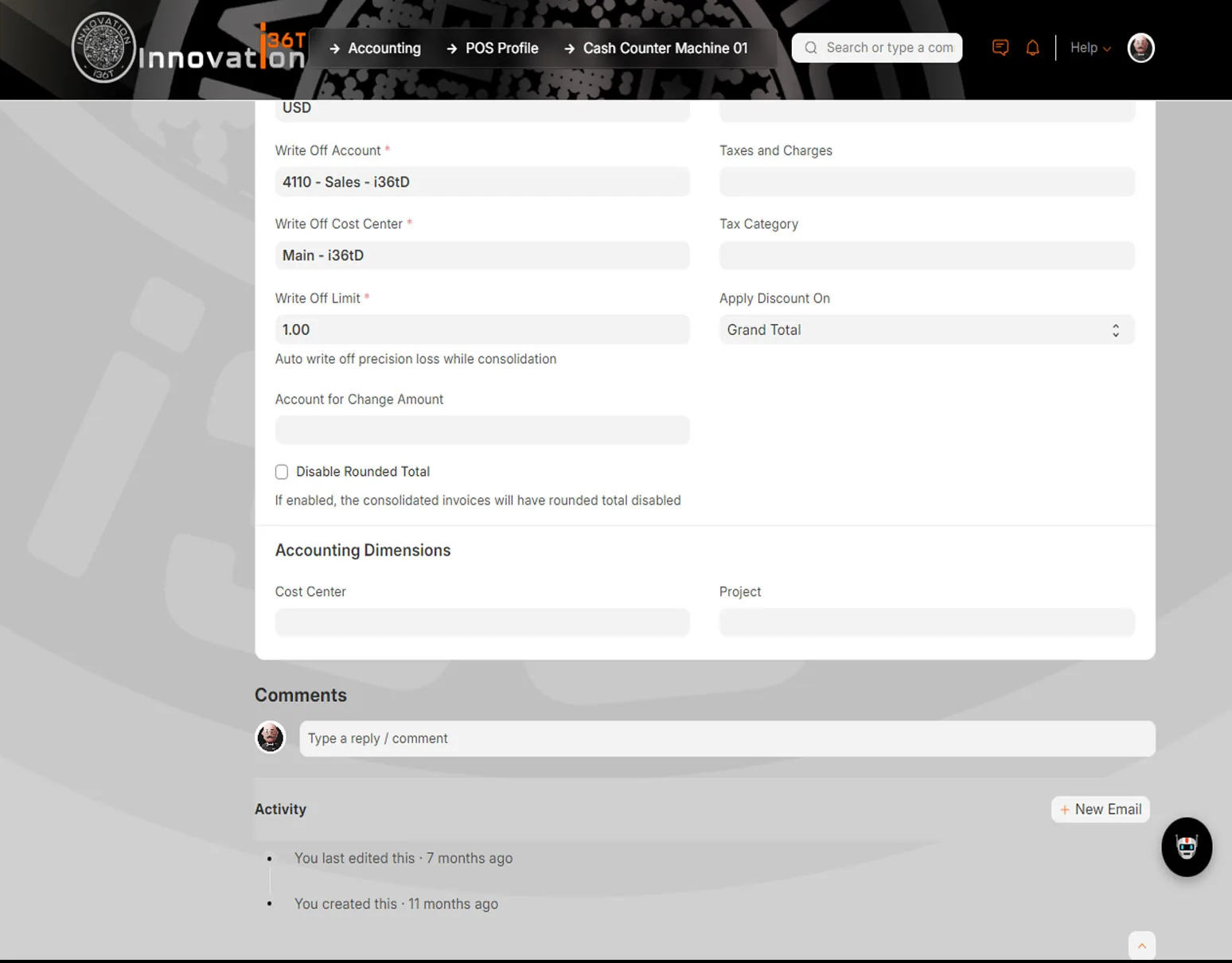
ERP36T Point of Sale: Cash counter profile write-off and accounting dimensions
Cash counter profile write-off and accounting dimensions
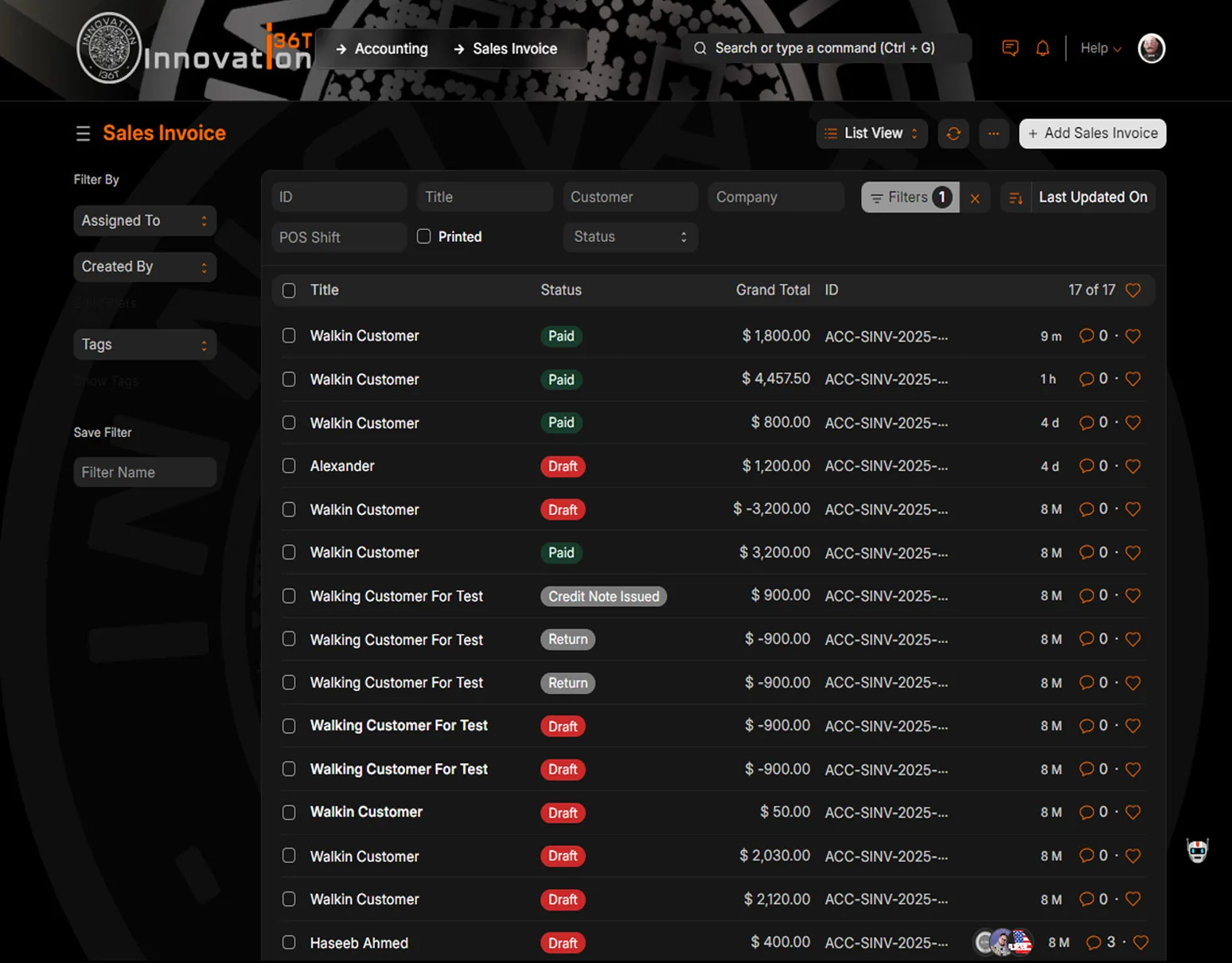
ERP36T Point of Sale: Sales invoice list with paid and draft status
Sales invoice list with paid and draft status
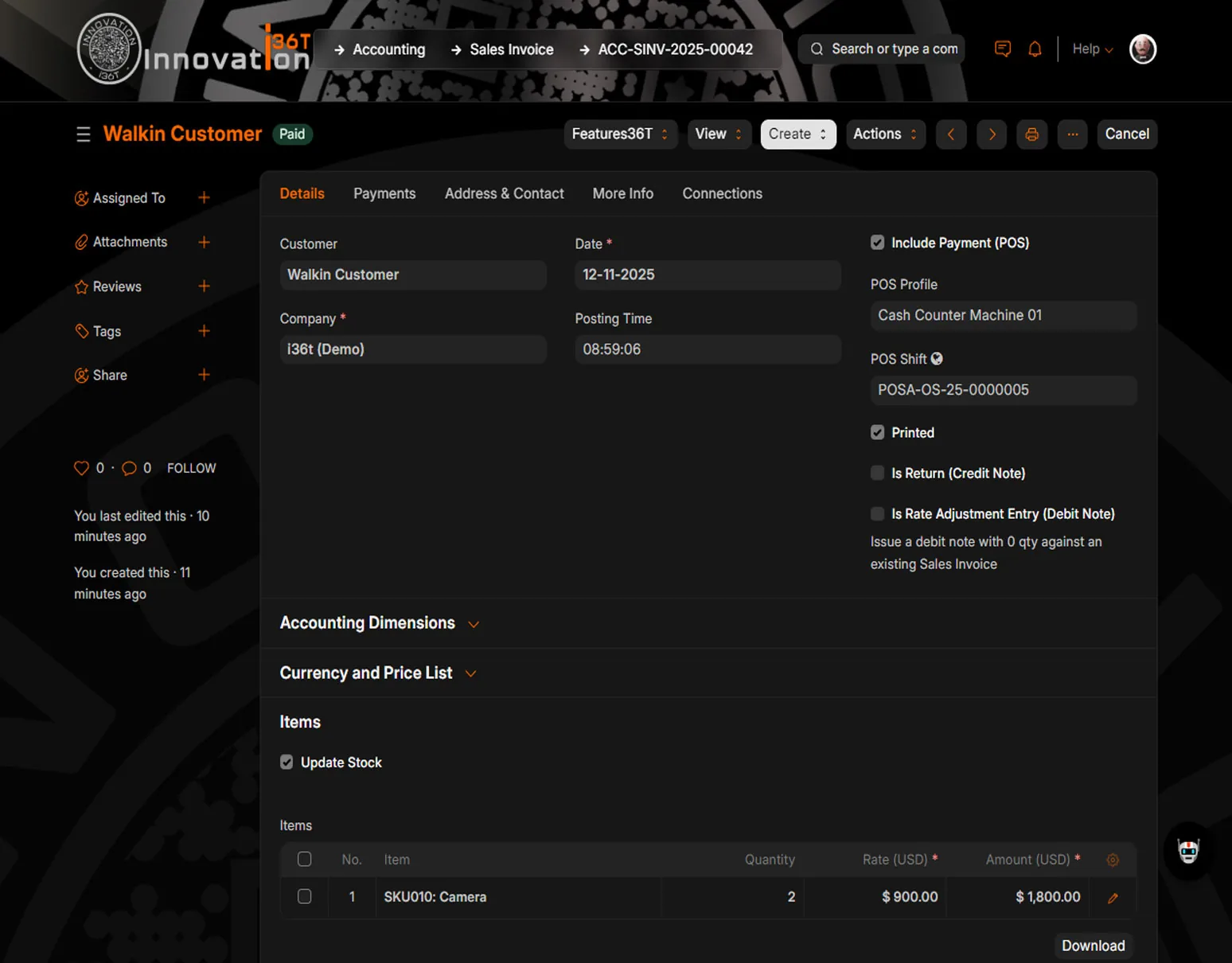
ERP36T Point of Sale: Paid sales invoice with POS profile and shift
Paid sales invoice with POS profile and shift
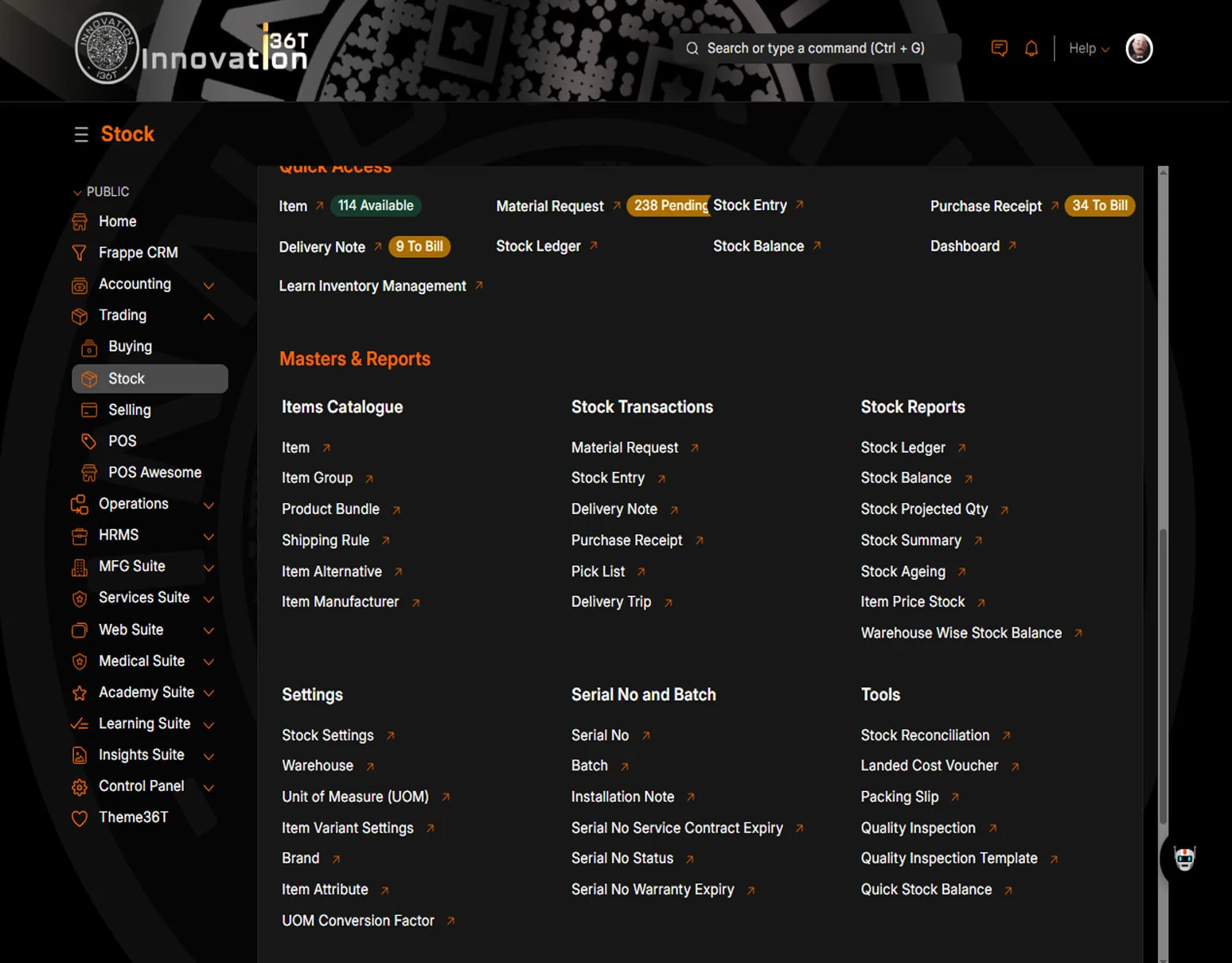
ERP36T Point of Sale: Stock workspace with quick access and stock reports
Stock workspace with quick access and stock reports
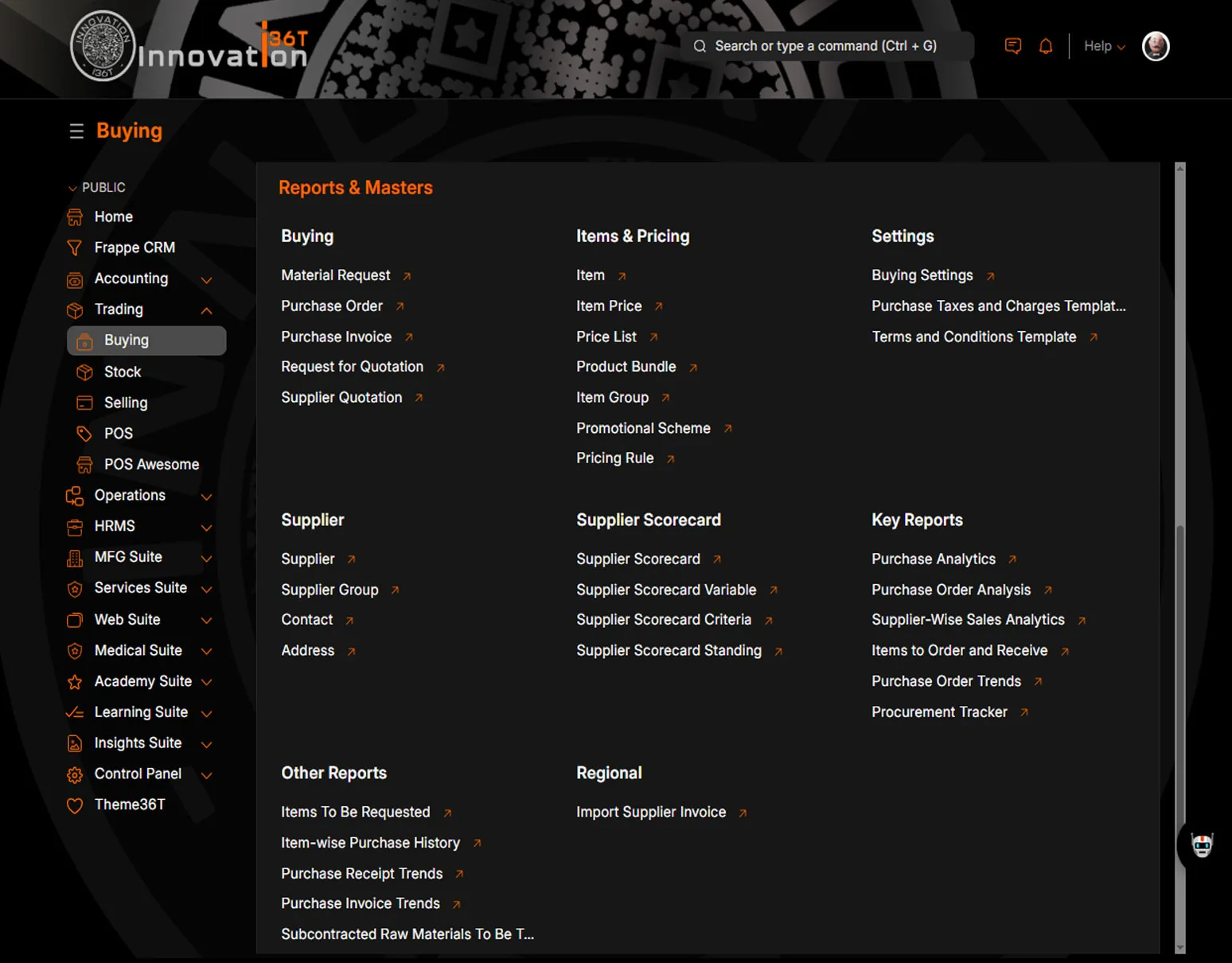
ERP36T Point of Sale: Buying workspace with reports and masters
Buying workspace with reports and masters
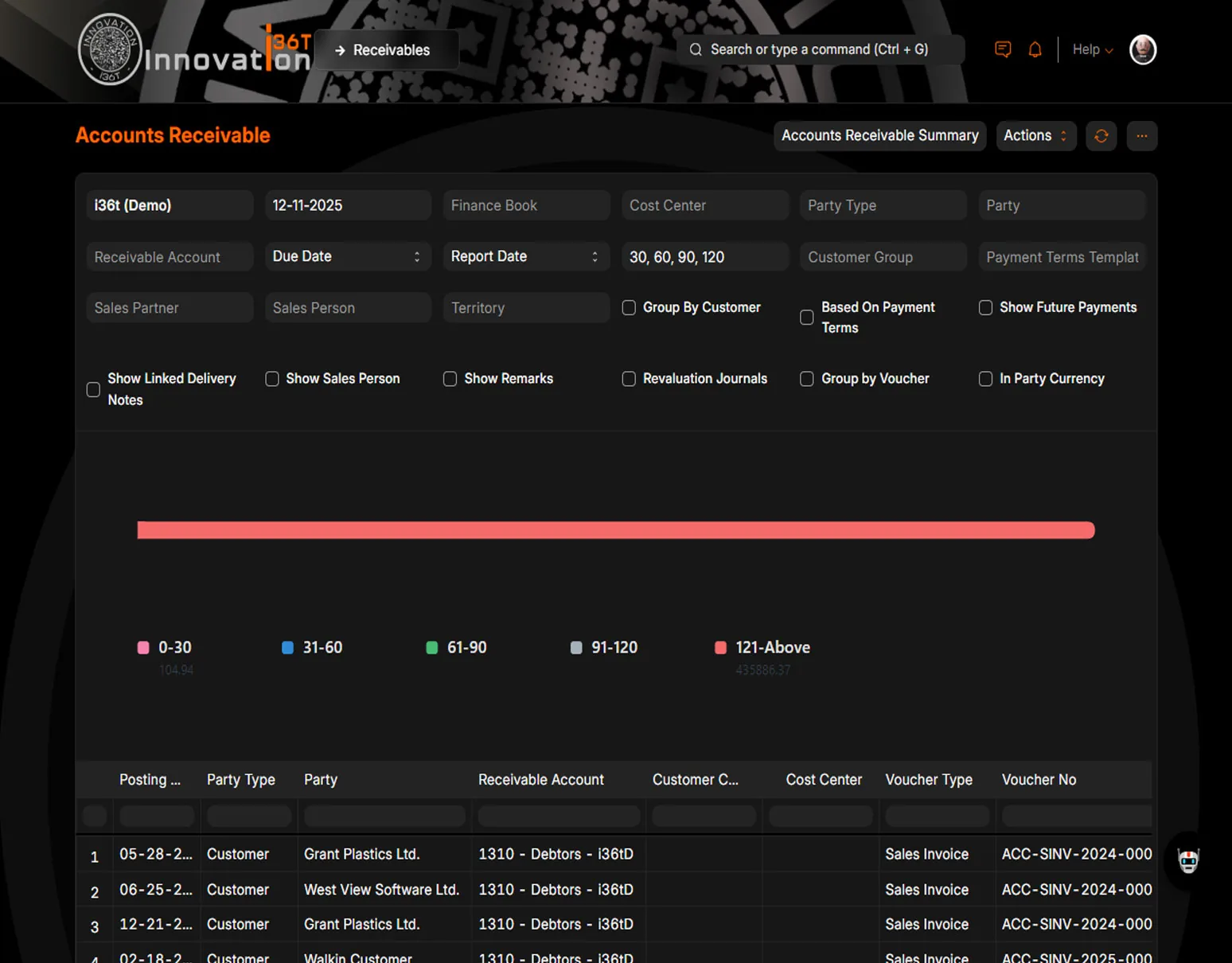
ERP36T Point of Sale: Accounts receivable ageing report with filters
Accounts receivable ageing report with filters
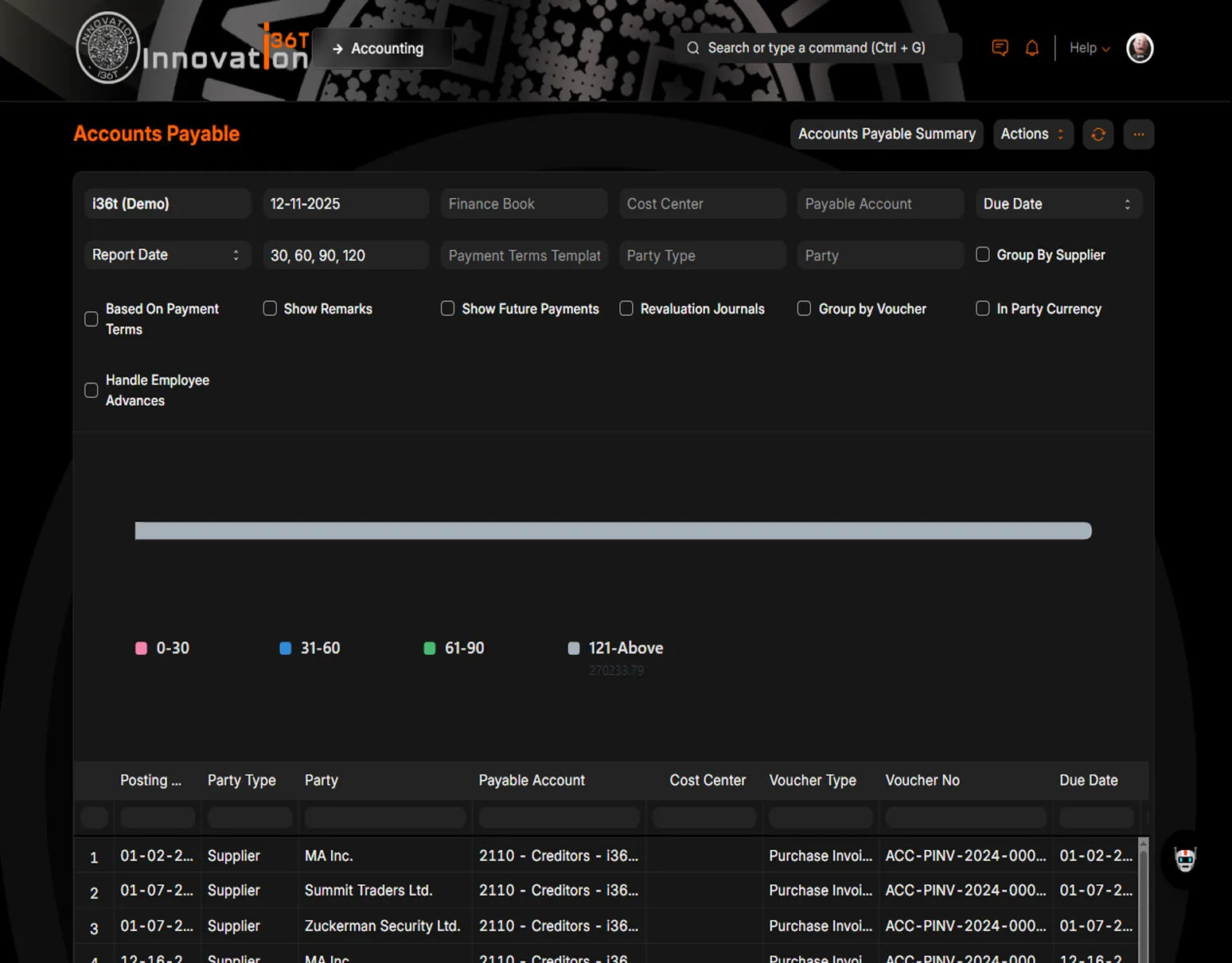
ERP36T Point of Sale: Accounts payable ageing report by supplier
Accounts payable ageing report by supplier

End to end

How a retail sale runs, end to end.

PurchaseWarehouseStore TransferShelfPOS SalePaymentStock UpdateAccounting

A sale at the till updates stock and the ledger in the same moment.

Why it matters

Why teams run Point of Sale on ERP36T.

ERP36T POS helps retailers improve sales speed, stock accuracy, and operational control. It provides an integrated front-end POS screen for fast checkout while automatically connecting transactions to invoicing, accounting, inventory, warehousing, and supply chain workflows in the back office. The system supports real-time or synchronized stock visibility, multi-store operations, replenishment planning, customer loyalty handling, and session-based cash control, making it well suited for growing retail businesses. With strong integration across finance, stock, procurement, CRM, and reporting, ERP36T POS enables organizations to reduce reconciliation effort, improve product availability, strengthen store oversight, and deliver a better customer experience.

Connected across ERP36T

One platform, one database.

Included in ERP36T Retail, which starts on the Business plan. ERP36T is priced by plan, not by module. See pricing

Related solutions

Works with the rest of ERP36T.

Sales & Retail

The complete sales cycle, from quotation to payment.

Explore Sales & Retail

Inventory & Supply Chain

Stock, purchasing and fulfillment, visible end to end.

Explore Inventory & Supply Chain

Accounting

Financial control without disconnected systems.

Explore Accounting

CRM

Every lead, deal and customer conversation in one place.

Explore CRM

Next step

See Point of Sale run on your own data.

Book a live demo, price your setup, or get a free assessment of what ERP36T would take over first.