Ready Solutions · CRM

ERP36T CRM

Every lead, deal and customer conversation in one place. ERP36T CRM centralizes customer data and streamlines the lead-to-deal process, with follow-ups, quotations and communications linked to sales, projects, support and accounting.

Included in every ERP36T plan. See pricing

Overview

What CRM does

CRM plays a vital role in helping businesses manage customer relationships, sales opportunities, communications, and service activities in one connected system. ERP36T CRM module is designed to centralize customer data, streamline lead-to-deal processes, and improve coordination across sales, support, marketing, and operations. By organizing leads, follow-ups, tasks, quotations, communications, and customer interactions in a single platform, businesses can improve response times, strengthen customer engagement, and increase conversion rates. Because it works seamlessly with multiple business functions, CRM also helps organizations connect customer activity with sales, projects, support, accounting, inventory, and other operational modules.

CRM runs on the same ERP36T platform and database as every other module, so its records are shared, not copied, across the business.
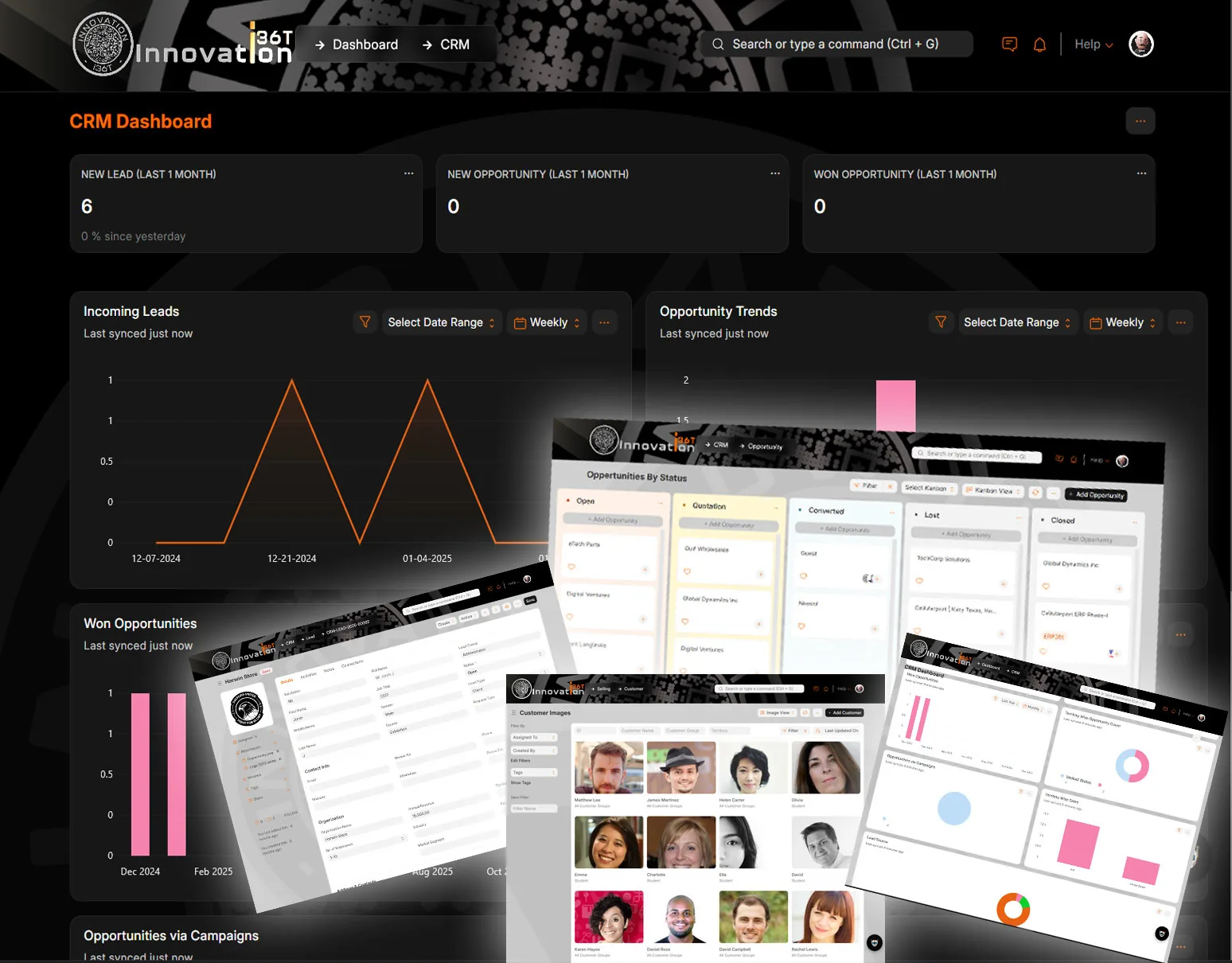
ERP36T CRM: Leads and opportunities dashboard with Kanban and customer photos
Leads and opportunities dashboard with Kanban and customer photos

What's included

CRM components.

What the CRM module covers, out of the box.

  • Lead Management
  • Opportunity Management
  • Customer Management
  • Contact Management
  • Sales Pipeline Management
  • Quotation Management
  • Communication History
  • Email Integration
  • Call Logging
  • Meeting Scheduling
  • Task Management
  • Activity Tracking
  • Follow-Up Management
  • Prospect Management
  • Customer Segmentation
  • Campaign Tracking
  • Sales Person and Territory Management
  • Deal and Conversion Tracking
  • Address Management
  • Document and Attachment Management
  • Project and Task Linking
  • Issue and Support Linking
  • Quotation to Sales Order Flow
  • Customer Portal Integration
  • Lead Assignment Rules
  • Workflow and Approval Management
  • Notes and Internal Comments
  • Dashboard and CRM Analytics
  • Mobile Access and User Activity Tracking

Key features

What you can do with CRM.

Lead ManagementEfficiently capture, track, and nurture leads with automated workflows to convert them into opportunities.
Sales Pipeline ManagementVisualize and manage sales pipelines to track progress and improve deal closures effectively.
Activity TrackingMonitor and log customer interactions, meetings, calls, and emails for enhanced relationship management.
Email CampaignsSend personalized email campaigns, track performance, and engage with customers effectively.
Customer SegmentationCategorize customers based on demographics, purchase history, or preferences for targeted marketing.
Contact ManagementMaintain a centralized database of customer and vendor contacts with detailed interaction history.
Quotation and PricingGenerate detailed quotations, manage pricing strategies, and send proposals directly from the system.
Feedback ManagementCollect, organize, and analyze customer feedback to improve services and product offerings.
Reports and AnalyticsGenerate detailed CRM reports and analytics for actionable insights and strategic planning.
Integration with Marketing ToolsSeamlessly integrate with third-party tools for advanced marketing and lead generation campaigns.
Loyalty ProgramsImplement and manage customer loyalty programs to increase engagement and retention.
Payment TrackingTrack customer payments and invoices for efficient financial management within the CRM system.
Events RemindersSet and manage reminders for customer events, appointments, and deadlines to ensure timely follow-ups.
Follow-ups on TasksTrack and monitor follow-ups on assigned tasks to ensure consistent communication and task completion.
Feedback and EvaluationCollect and analyze customer feedback to evaluate satisfaction and identify areas for improvement.
Top CustomersIdentify and prioritize top-performing customers to enhance relationships and maximize opportunities.
Customer AnalyticsGain insights into customer behavior, preferences, and trends to drive data-informed business decisions.
Newsletter ManagementCreate, schedule, and send engaging newsletters to keep your customers informed and connected.
Campaign ManagementDesign and manage marketing campaigns to target specific audiences and measure their success effectively.
Standard on every ERP36T module (18)
WorkflowStreamline processes with configurable workflows tailored to business needs.
ChatbotEnhance customer interaction with AI-driven chatbot capabilities.
Notification & Event SchedulerAutomate reminders and schedule events for efficient task management.
Data Upload & DownloadEasily import and export bulk data for seamless operations.
Bulk Records UpdateUpdate multiple records simultaneously with user-friendly tools.
OAuth Security including 2FAEnsure secure access with OAuth protocols and two-factor authentication.
Google PluginsIntegrate seamlessly with Google Workspace tools for enhanced productivity.
To Do Task ManagementKeep track of tasks and prioritize with a built-in to-do list feature.
Document Management & SharingOrganize and share documents securely across teams and departments.
Full Data & Feature Security User ControlsControl access to data and features with robust user permission settings.
Self Services and Web PortalEmpower users with self-service options and an intuitive web portal.
Payment GatewayFacilitate online payments with secure and integrated payment gateways.
Record HistoryTrack changes to records with a detailed audit trail for accountability.
Integration with Legacy SystemsSeamlessly connect with existing legacy systems for smooth transitions.
B2B IntegrationFacilitate business-to-business connections and workflows effectively.
B2C IntegrationConnect directly with consumers for streamlined operations and services.
WhatsApp IntegrationEngage with users through WhatsApp for efficient communication.
Social Media IntegrationExpand your reach by connecting with social media platforms.

Screenshots

CRM in ERP36T.

Real screens from ERP36T. Select any screen to open it full size.
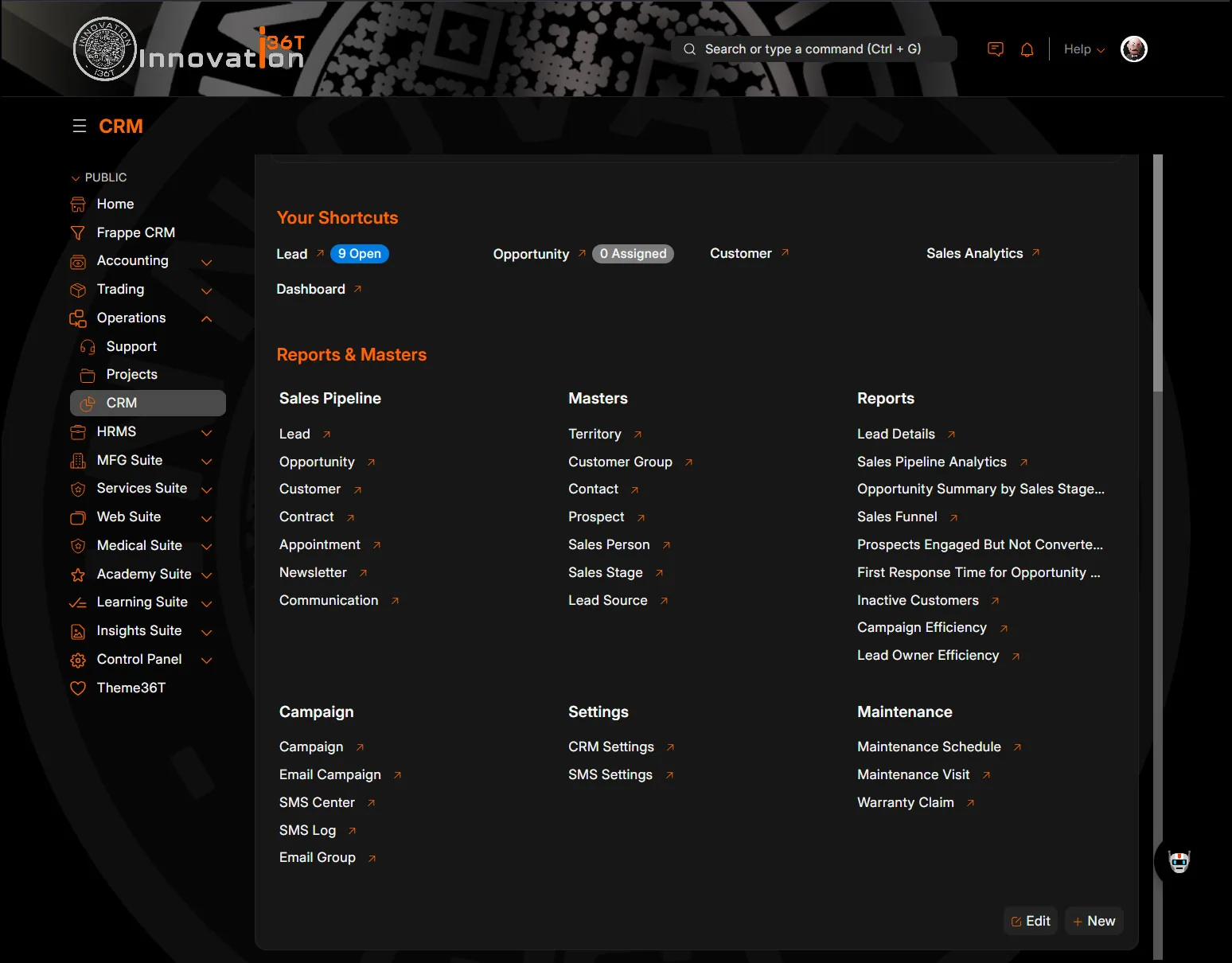
ERP36T CRM: Workspace with sales pipeline, masters and report shortcuts
Workspace with sales pipeline, masters and report shortcuts
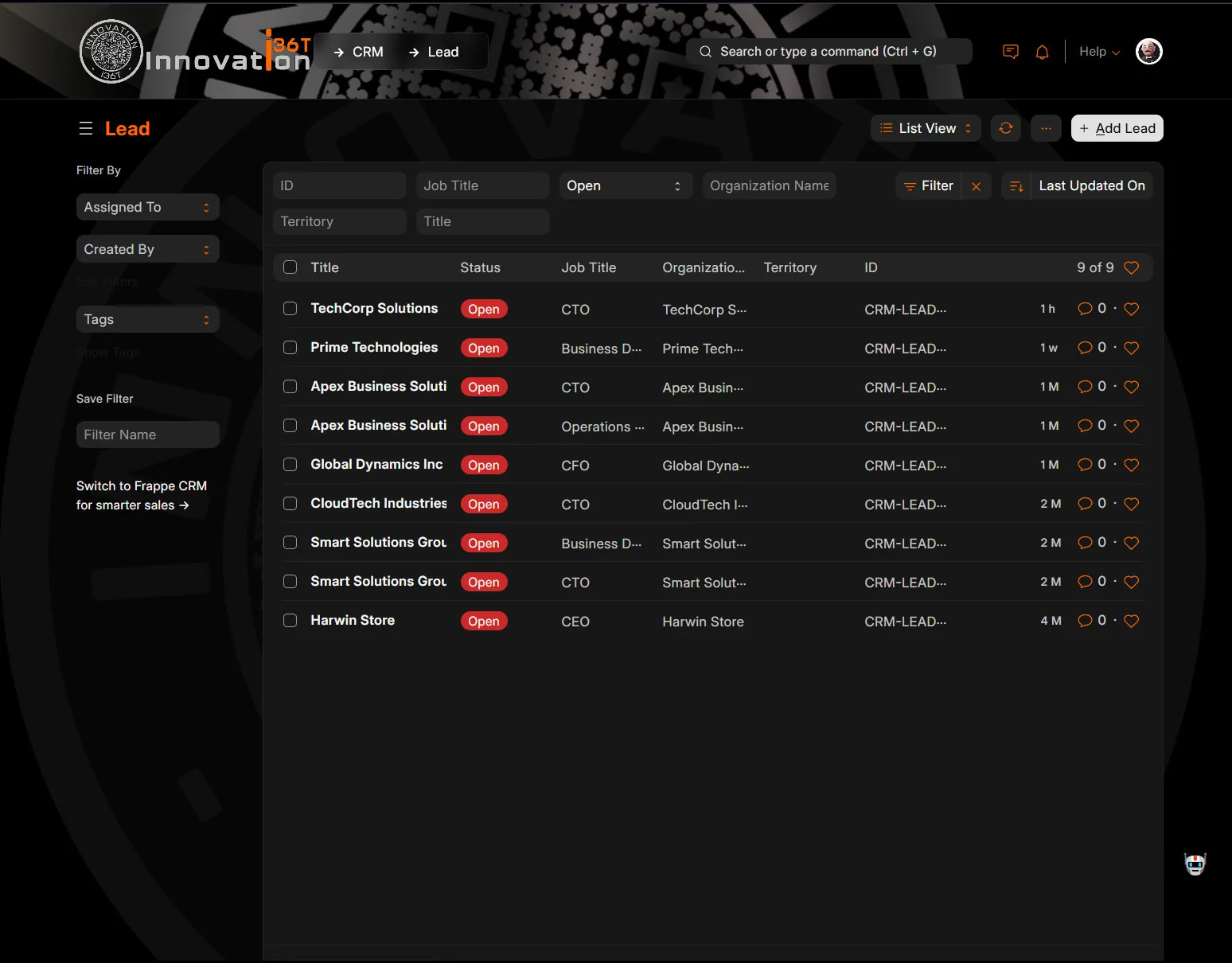
ERP36T CRM: Lead list filtered by open status
Lead list filtered by open status
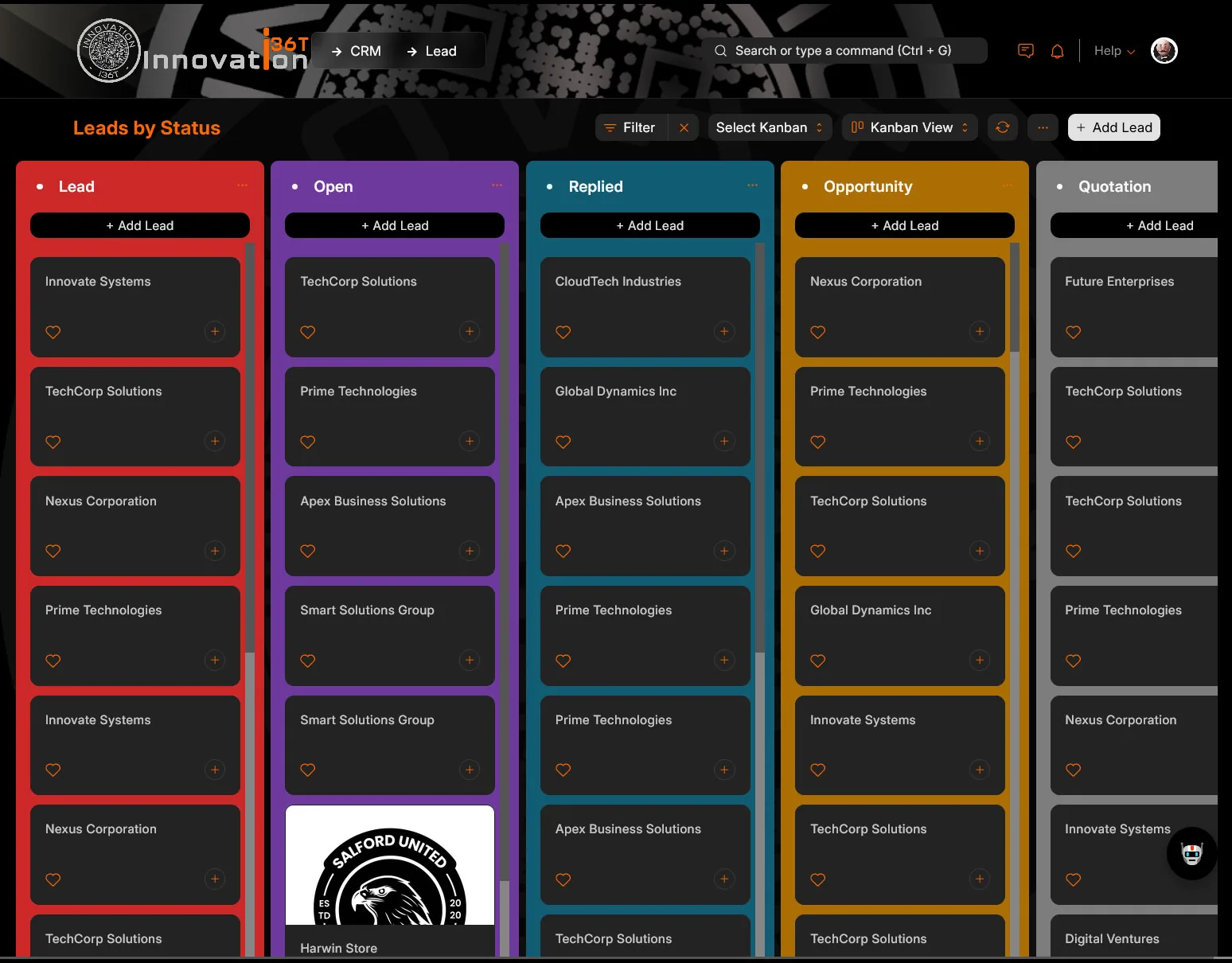
ERP36T CRM: Leads by status Kanban board with colored columns
Leads by status Kanban board with colored columns
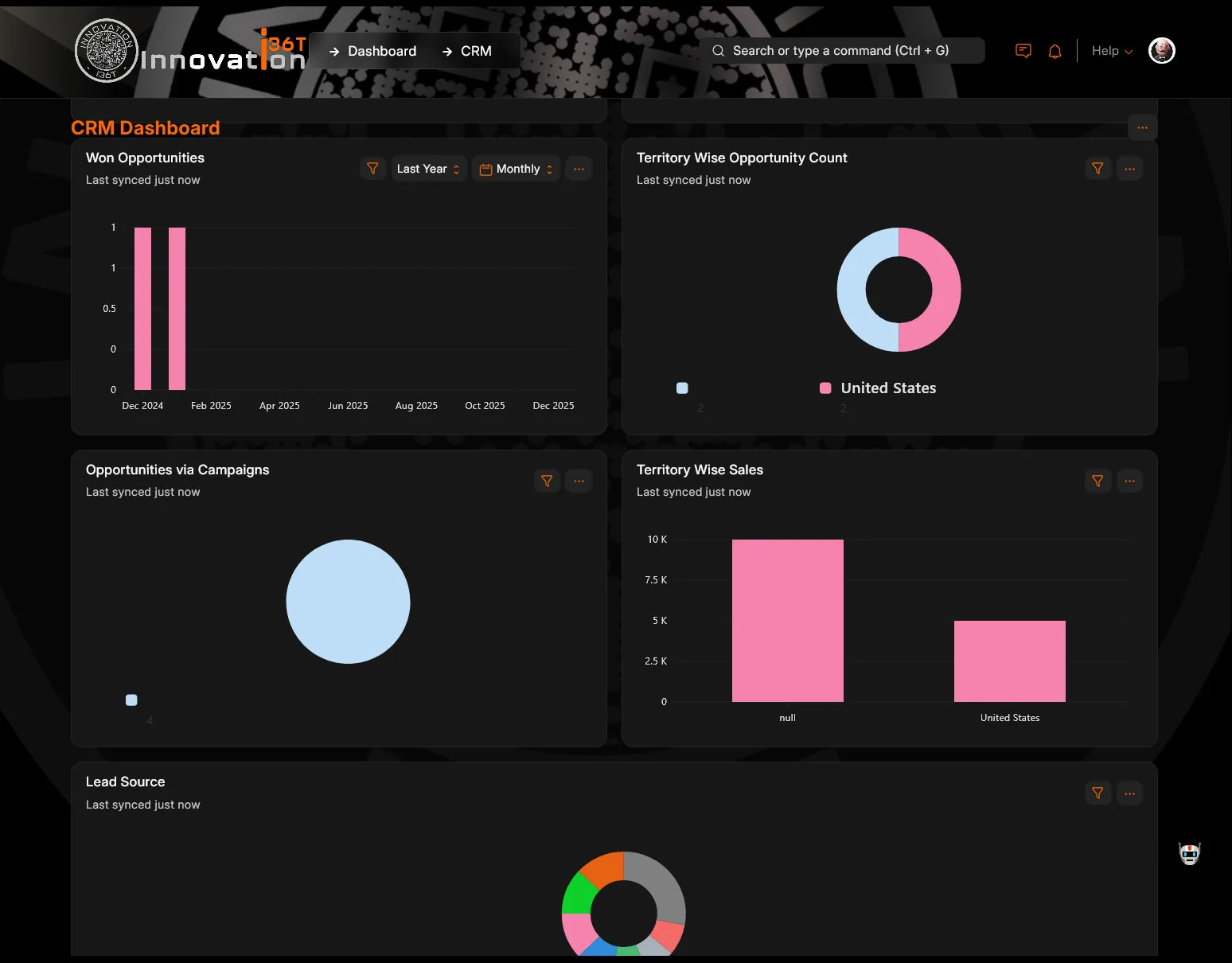
ERP36T CRM: Won opportunities and territory sales dashboard charts
Won opportunities and territory sales dashboard charts
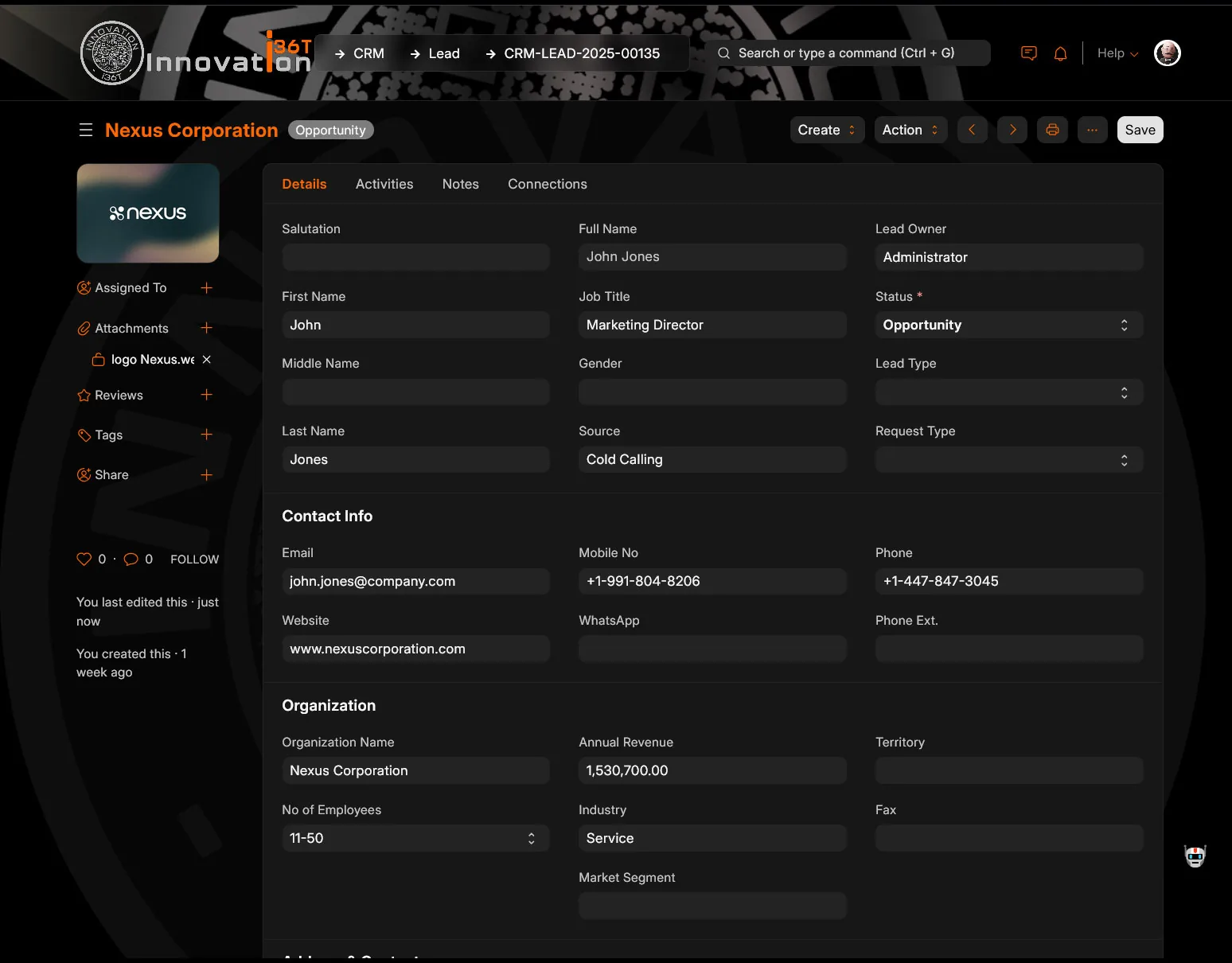
ERP36T CRM: Lead form with contact and organization details
Lead form with contact and organization details
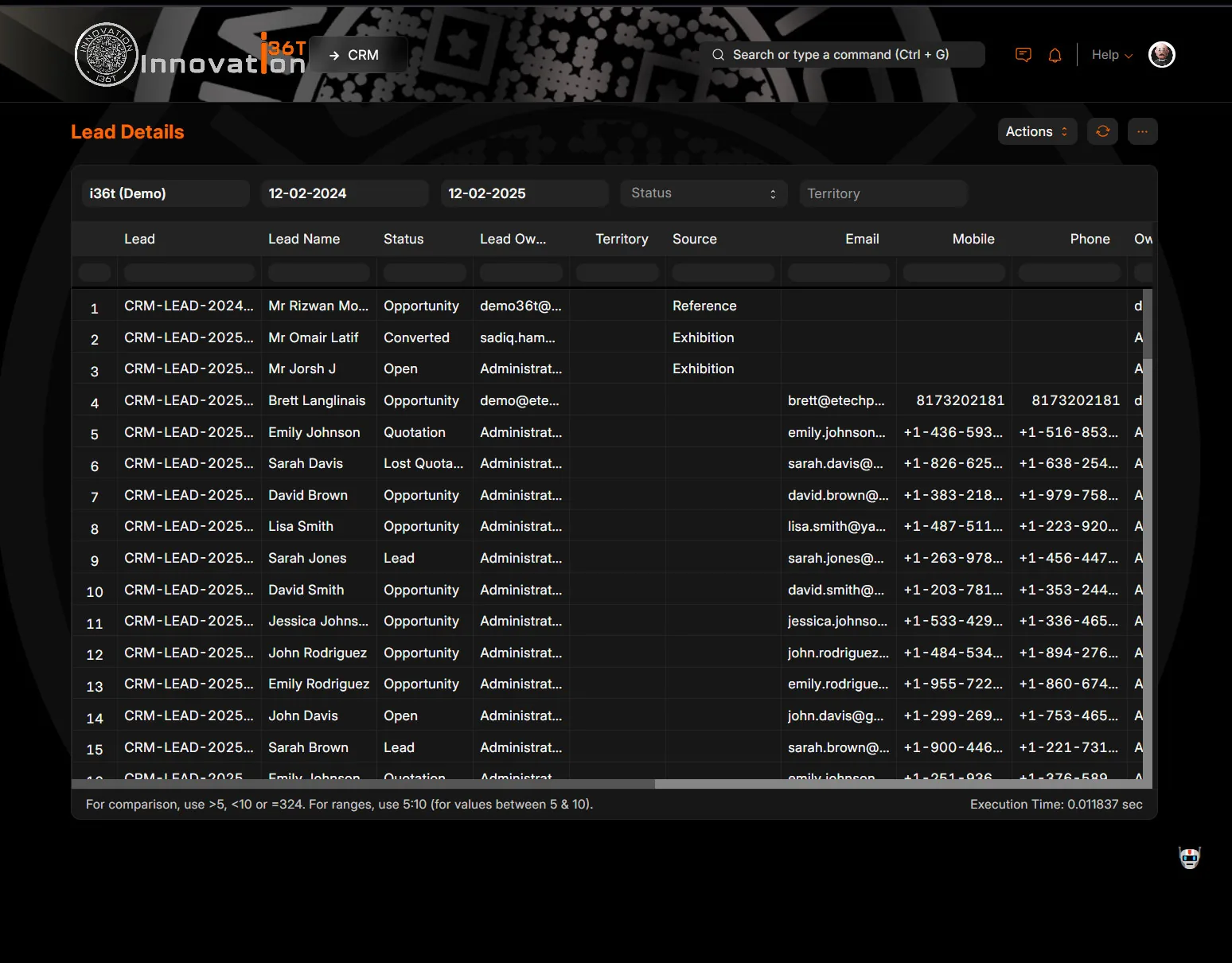
ERP36T CRM: Lead details report with status and source
Lead details report with status and source
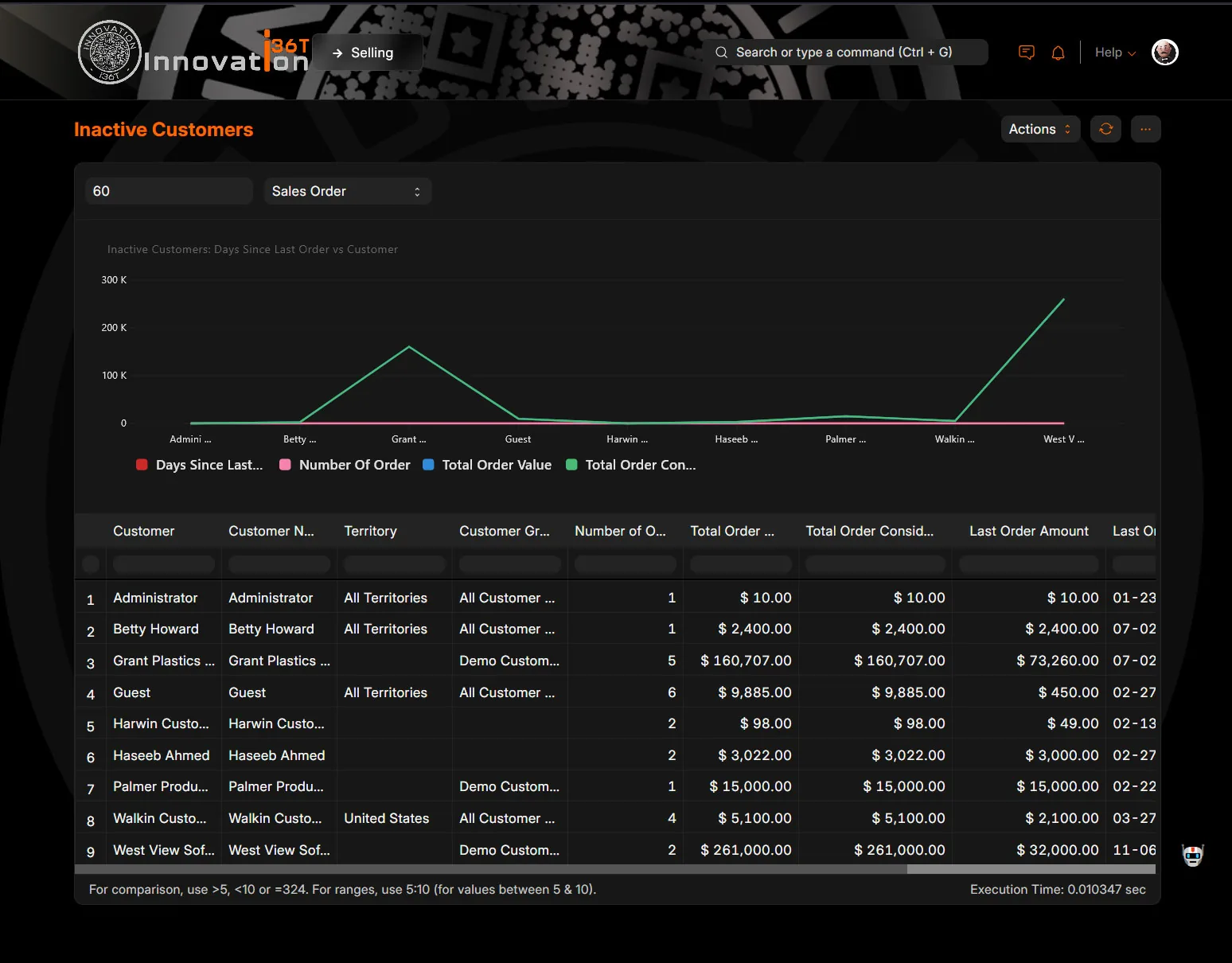
ERP36T CRM: Inactive customers chart and order history table
Inactive customers chart and order history table
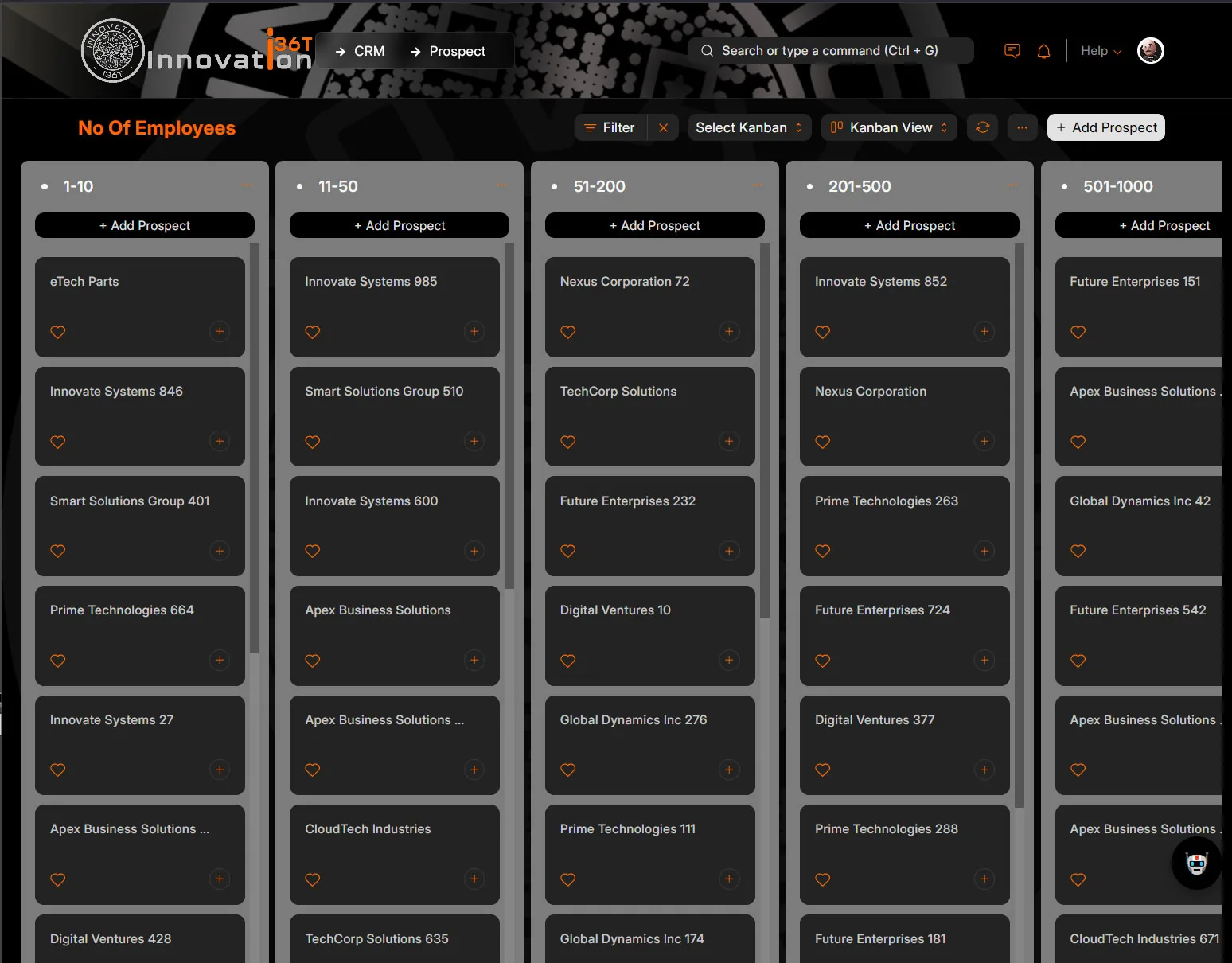
ERP36T CRM: Prospects Kanban board grouped by employee count
Prospects Kanban board grouped by employee count

Why it matters

Why teams run CRM on ERP36T.

ERP36T CRM helps organizations improve customer engagement, sales efficiency, and cross-functional visibility. It provides a unified view of leads, customers, communications, tasks, quotations, and follow-ups, allowing teams to manage the full customer journey more effectively. The system can work with nearly any business module, enabling strong integration with sales, retail, projects, support, accounting, inventory, procurement, and HR-related workflows where customer or contact data is relevant. With automated reminders, task tracking, pipeline monitoring, communication history, and customizable dashboards, teams can stay organized, collaborate better, and make faster decisions. Its flexible structure also supports business growth by improving conversion tracking, reducing missed follow-ups, and ensuring that every customer interaction is recorded and actionable.

Connected across ERP36T

One platform, one database.

Included in every ERP36T plan. ERP36T is priced by plan, not by module. See pricing

Related solutions

Works with the rest of ERP36T.

Sales & Retail

The complete sales cycle, from quotation to payment.

Explore Sales & Retail

Projects

Plan, deliver and bill projects in one system.

Explore Projects

Helpdesk

Every support request tracked, assigned and resolved.

Explore Helpdesk

Accounting

Financial control without disconnected systems.

Explore Accounting

Next step

See CRM run on your own data.

Book a live demo, price your setup, or get a free assessment of what ERP36T would take over first.